Save WooCommerce subscriptions at the moment of cancellation
ArraySubs intercepts every cancel attempt in the customer portal with a free 3-step retention flow — capture the cancellation reason, present a targeted save offer, and only then confirm — with free analytics on which offers actually keep revenue.
No credit card required · Free core on WordPress.org
Most subscription tools treat cancellation as a single destructive click; ArraySubs treats it as a conversation. The free retention flow intercepts every cancel attempt in the customer portal, asks why, and answers that reason with a targeted save offer before the final confirmation. Because reasons and offer outcomes are stored on the subscription record, free Retention Analytics shows exactly which offers keep revenue and which products drive churn. All of it is built into the plugin, not a separate churn add-on.
Capabilities
What Retention Flow Builder gives you
Every capability listed here reflects the current plugin build — free means free.
Free
Cancellation reason capture
Ask why before the cancel completes — 7 default reasons ship out of the box, and each answer is stored on the subscription record.
Free
Targeted save offers
Present a discount, a pause, a downgrade, or a contact-support handoff as the middle step of every cancellation.
Free
Conditional offer targeting
Show each offer only for the cancellation reasons and plans you choose, so discounts go where they can actually change the outcome.
Free
Final-confirmation guardrail
Customers reach the confirm button only after the reason and offer steps — one honest intervention, never a blocked exit.
Free
Retention Analytics
A free reporting module for cancellation reasons, save-offer acceptance, churn trends, product-level churn, and saved revenue.
Free
Pause and skip levers
Pause / vacation mode and skip-next-renewal give customers lighter alternatives before they ever reach the cancel button.
Free
2-phase grace period
Failed payments move into a structured recovery window that keeps access alive instead of ending the subscription immediately.
Pro
Automatic failed-payment retry
Reschedule failed renewal charges automatically and notify the customer while the subscription stays recoverable.
Pro
Auto-downgrade on failed recovery
When retries are exhausted, move the customer to a fallback plan you choose instead of cancelling outright.
What is a subscription cancellation flow?
A subscription cancellation flow is a guided sequence that runs between a customer clicking cancel and the cancellation actually happening — instead of ending the subscription instantly, it asks why and offers an alternative. ArraySubs ships this flow in the free core as three steps: capture the cancellation reason, present a targeted save offer, then show the final confirmation.
The flow intercepts cancel attempts in the customer portal, so it catches churn at the exact moment intent is highest. It is built into the plugin, not a separate add-on — reasons, offers, and outcomes live on the same subscription records that billing and renewals already use, so there is nothing to integrate or sync.
How do I capture why customers cancel?
ArraySubs asks for a reason as the first step of every cancellation, before the customer ever sees a confirm button. Seven default cancellation reasons ship out of the box — including a temporary-pause reason for customers who never wanted to leave permanently — so you collect structured churn data from day one.
Each selected reason is stored on the subscription record, not in a detached survey tool. Support sees the reason in context, Retention Analytics aggregates reasons across products and time, and save offers can react to the specific reason the customer picked.
Which save offers can I show before a cancellation?
ArraySubs supports four save-offer types: a discount, a pause, a downgrade, and a contact-support handoff. Each answers a different reason for leaving — price objections get a discount, temporary situations get a pause, over-buyers get a smaller plan, and fixable problems get a human.
Offers are conditional: you decide which cancellation reasons and which plans each offer appears for, so a discount is never spent on someone leaving for an unrelated reason. When a customer accepts a retention discount, a confirmation email goes out automatically — one of the 21 free email types.
Discount — counter price-driven cancellations with a targeted offer
Pause — give temporary situations a break instead of an ending
Downgrade — move over-provisioned customers to a plan that fits
Contact support — route fixable problems to a person before they become churn
How do I reduce involuntary churn from failed payments?
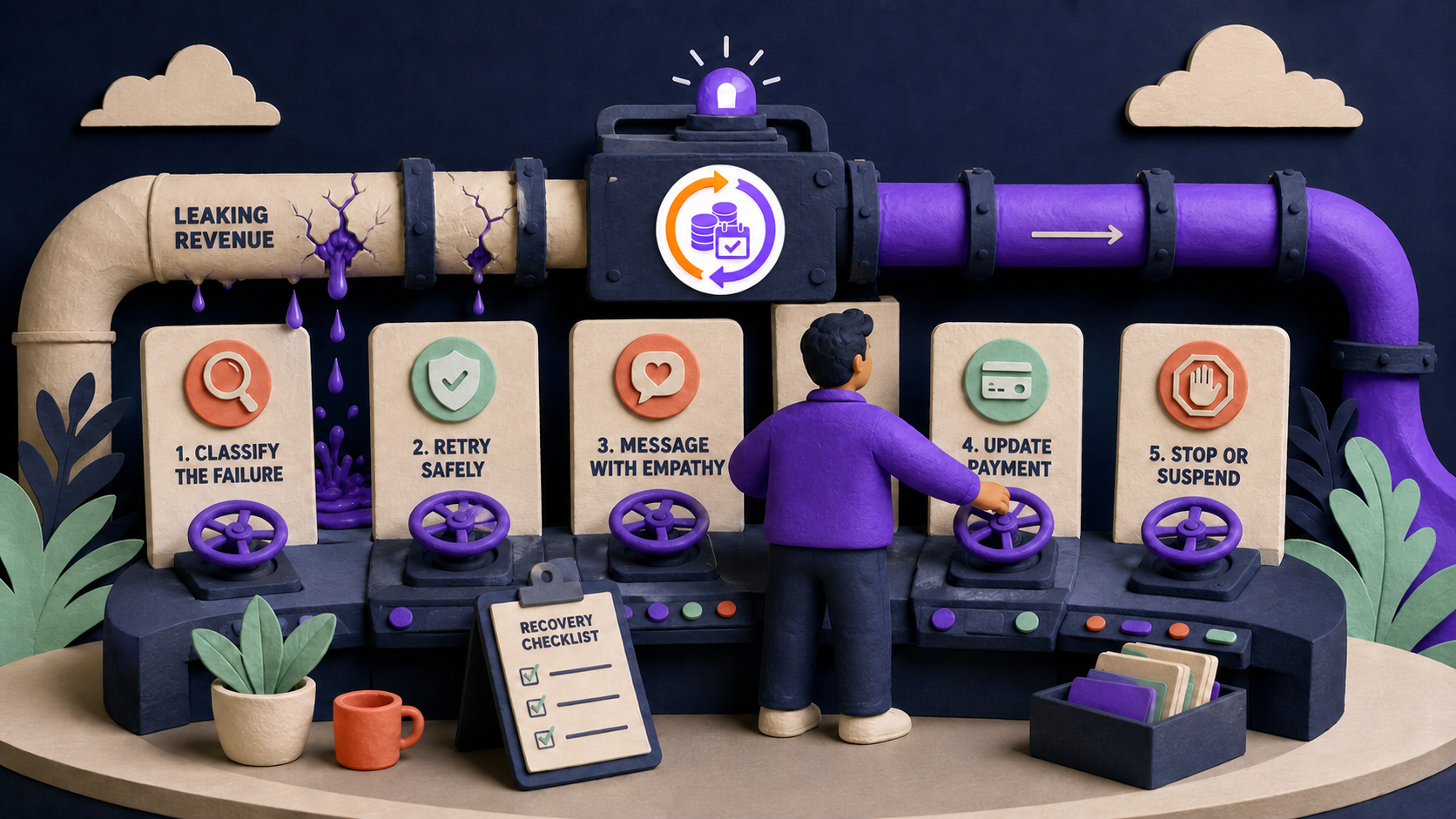
Use the recovery stack that runs alongside the retention flow — involuntary churn comes from failed payments rather than decisions, so it never reaches a cancel button and has to be fought on the billing side. The free core starts with a 2-phase grace period that keeps access alive after a failed renewal instead of cutting the customer off while they fix a card.
Pro adds the automation on top: automatic failed-payment retry reschedules the charge and notifies the customer, and if recovery still fails, auto-downgrade moves the subscription to a fallback plan you choose instead of cancelling it. A downgraded customer keeps a billing relationship you can win back; a cancelled one is gone.
Is pausing better than cancelling?
For any customer whose reason is temporary, yes — a pause preserves the subscription record, history, and billing relationship, while a cancellation ends all three. That is why ArraySubs includes a temporary-pause option among the default cancellation reasons and offers pause as one of the four save offers.
The free core also ships two lighter levers customers can use before they ever consider cancelling: pause / vacation mode stops renewals for a break and resumes later, and skip-next-renewal moves one billing cycle forward while keeping the schedule intact. Both are self-service in the customer portal, so a box subscriber going on vacation never has to choose between paying and leaving.
How do I measure whether retention offers work?
Use Retention Analytics, the free module that reports on every outcome of the cancellation flow. It breaks down which cancellation reasons customers choose, how often each save offer is accepted or declined, churn trends over time, and which products drive the most cancellations.
The headline metric is saved revenue — the value retained when customers accept an offer instead of completing a cancellation. Because outcomes are logged per offer and per reason, you can retire offers that never convert and lean on the ones that pay for themselves.
Set up
Set it up in 4 steps
From install to live — no developer required.
01
Install ArraySubs free
Install the free core from WordPress.org — the retention flow and Retention Analytics are included, no license required.
02
Review the cancellation reasons
Start from the 7 default reasons or adjust the list to match how your customers actually describe leaving.
03
Configure targeted save offers
Set up discount, pause, downgrade, and contact-support offers, and limit each to the reasons and plans where it makes sense.
04
Track results in Retention Analytics
Watch offer acceptance, reason breakdowns, and saved revenue, then tune or retire the offers that underperform.
Free vs Pro
Retention Flow Builder: what's free, what's Pro
The free core is a real product, not a demo. Pro adds the automation and revenue layer.
In the free core
Free
3-step cancellation flow with reason capture and final confirmation
4 save-offer types with reason and plan targeting
7 default cancellation reasons stored on the subscription record
Yes. The 3-step cancellation flow, all four save-offer types, the default cancellation reasons, and Retention Analytics ship in the free core. Pro adds involuntary-churn automation such as failed-payment retry and auto-downgrade.
Yes. The flow never blocks cancellation — a customer who declines the save offer continues to the final confirmation and cancels normally. The goal is one honest intervention, not a maze.
Yes. Offers are conditional: each one can be limited to the cancellation reasons and plans you choose, so a price-driven cancel sees a discount while a temporary situation sees a pause.
Reasons are stored on the subscription record and aggregated in the free Retention Analytics module, which breaks down reasons, save-offer acceptance, churn trends, product-level churn, and saved revenue.
The discount is applied and a confirmation email is sent automatically — one of the 21 free email types — and the accepted offer is logged so analytics can attribute the saved revenue.
Failed payments are handled by the adjacent recovery tools: the free 2-phase grace period keeps access alive, and Pro adds automatic payment retry plus auto-downgrade to a fallback plan when recovery fails.
No. ArraySubs builds the retention flow into the subscription plugin itself, so reason capture, save offers, and analytics run on the same subscription records as billing — nothing extra to integrate.
Try it on your store
Put retention flow builder to work
Install the free core from WordPress.org today, then start a Pro trial when you want the automation and revenue features.