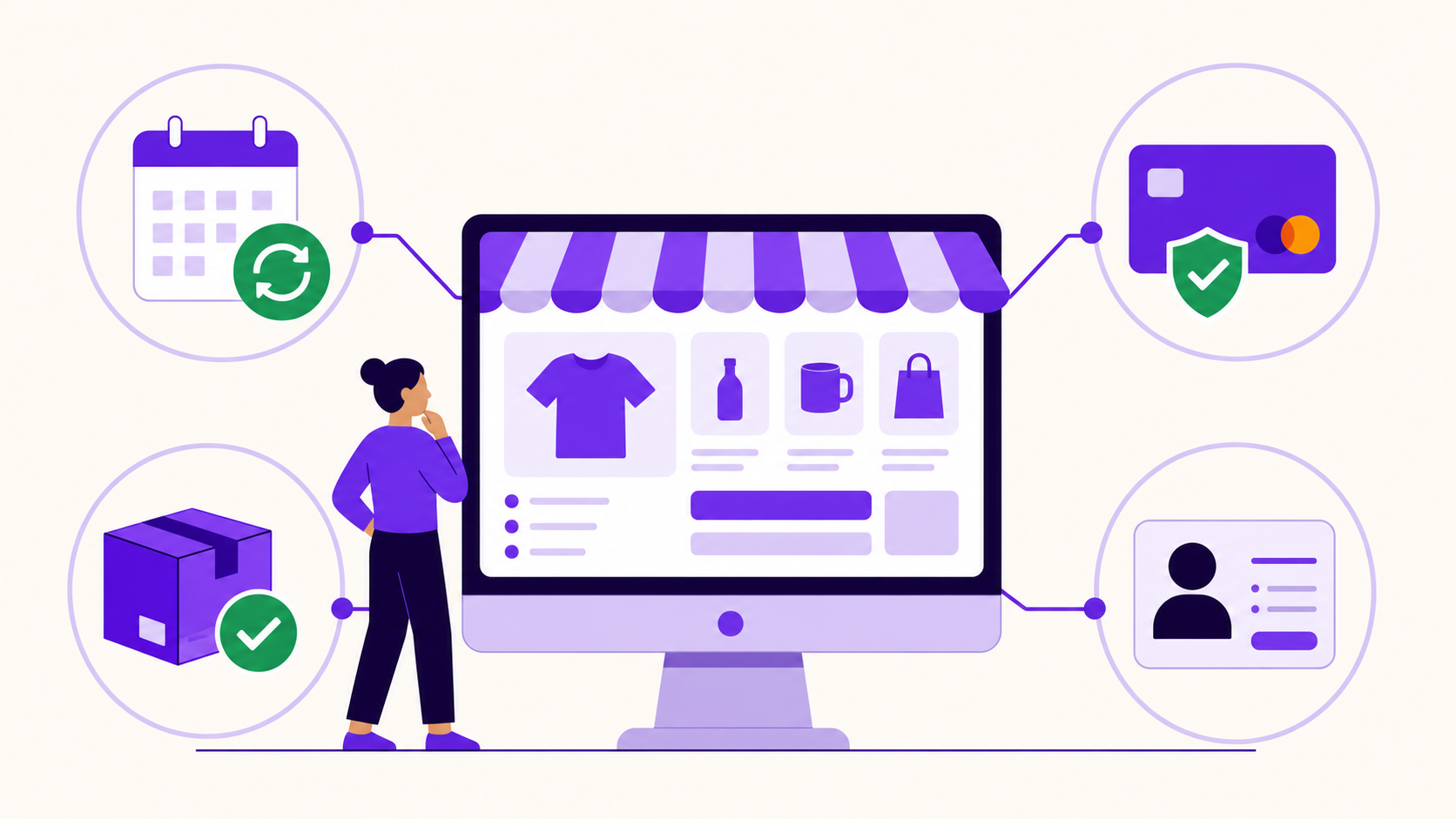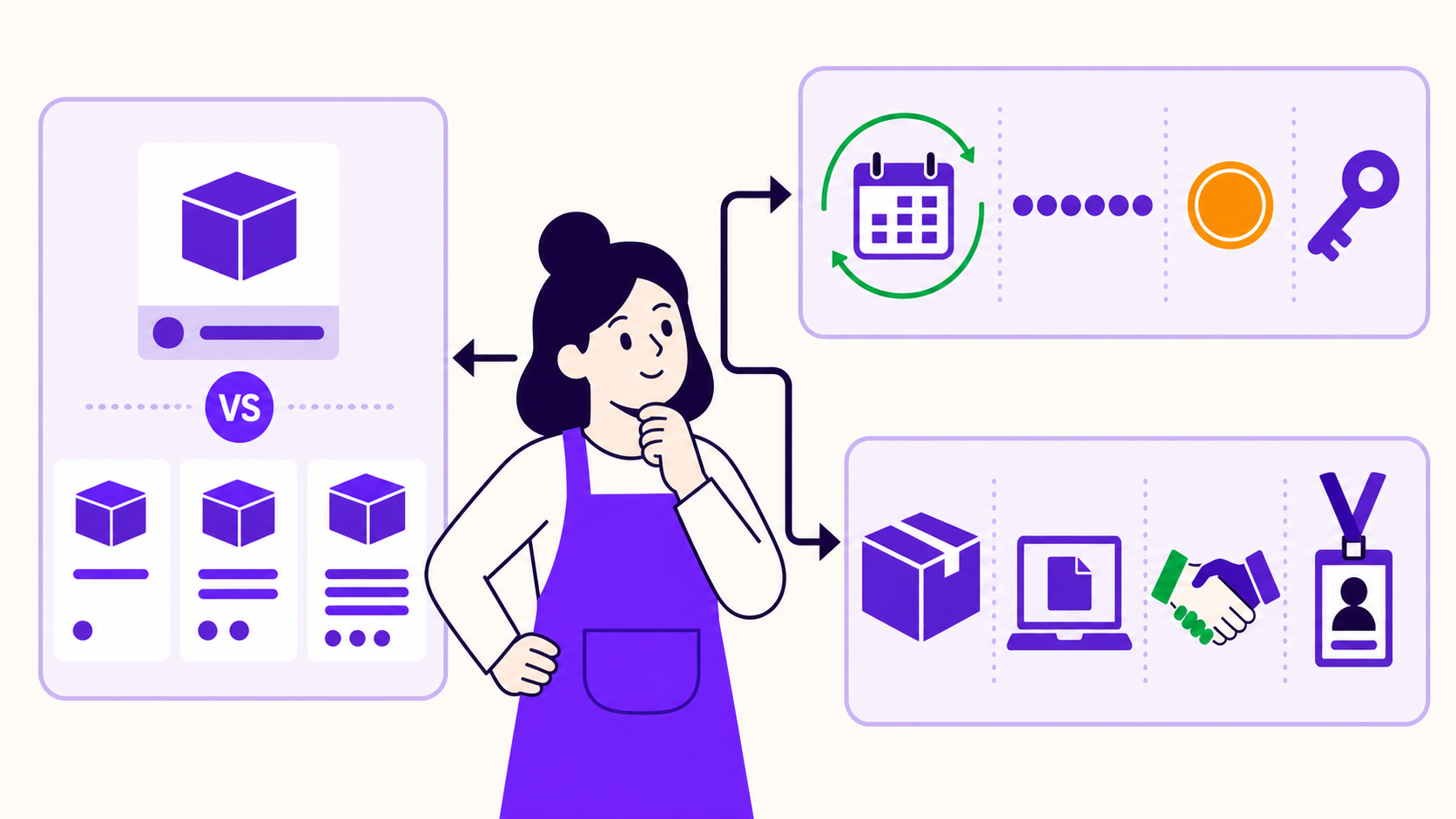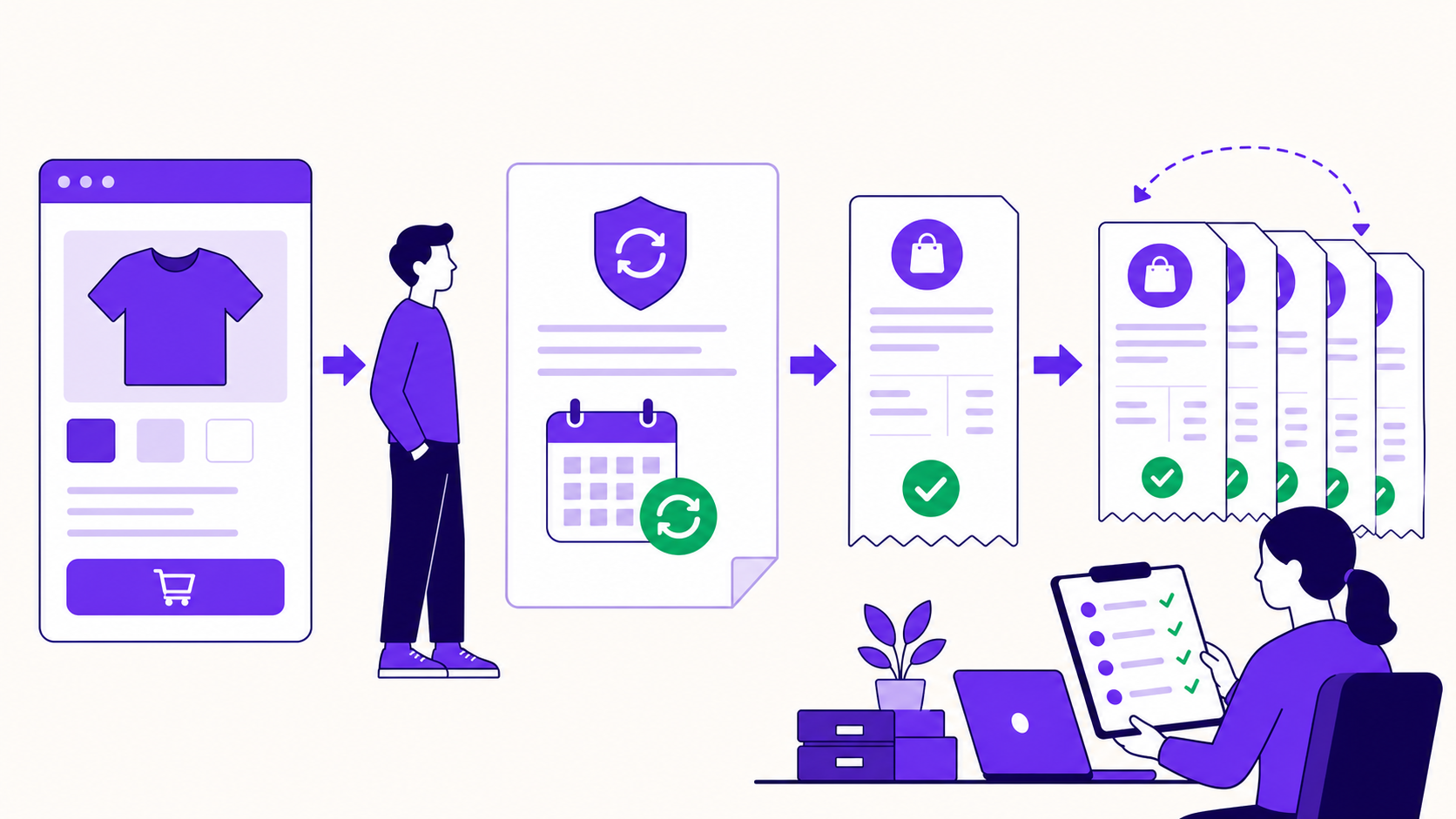
A WooCommerce subscription is a customer-specific agreement that holds the items, billing schedule, payment method, dates, totals, and status used for future transactions. The customer buys a subscription product; a parent order records signup or the first payment; each later recurring transaction is recorded in a linked renewal order.
That distinction matters because the product, agreement, and orders can look similar in the admin while doing different jobs. Once you know which record owns the offer, the schedule, and each payment, subscription reporting and troubleshooting become far easier.
Key takeaways
- A product or plan is a reusable catalog offer; a subscription is one customer's live agreement.
- The parent order records signup, while renewal orders record later billing events.
- A renewal order can exist without being paid, so order creation is not proof of a successful charge.
- The subscription carries the future schedule and lifecycle status.
- Automatic and manual renewal describe who completes payment, not who creates the scheduled order.
The four records in one mental model
When someone asks “what is a WooCommerce subscription?”, they often mean one of four related objects. Use this model:
| Entity | What it represents | The practical question it answers |
|---|---|---|
| Subscription product or plan | The reusable offer in the catalog | What can a new customer buy? |
| Subscription | One customer's continuing agreement | What should happen next? |
| Parent order | The initial checkout transaction | What happened at signup? |
| Renewal order | One later recurring transaction | What happened at this billing event? |
WooCommerce's official documentation describes a subscription as an agreement for future transactions and an order as a record of a past or currently due transaction. A checkout-created subscription normally has at most one parent order and can have many renewal orders (Subscription Products vs Subscriptions, Subscription Orders).
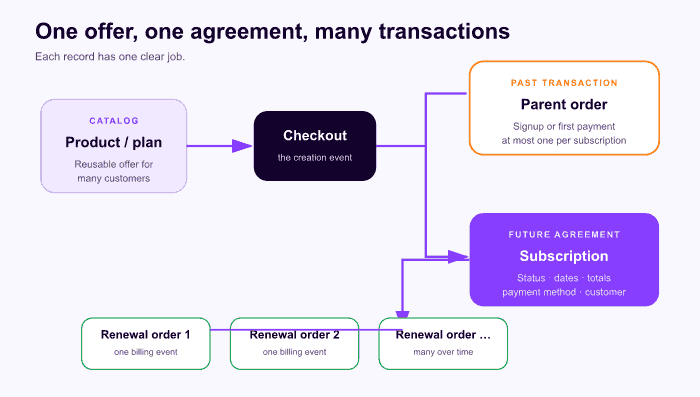
The subscription is the continuing agreement. Orders are the transaction history around it.
The relationship can be written in one line:
catalog product or plan → checkout → parent order + subscription → renewal order 1 → renewal order 2 → … → cancellation or expiration
Checkout commonly creates the parent order and subscription together. Later edits can make them differ, so do not assume every field remains an identical copy forever. Woo's troubleshooting framework describes the parent order as the starting transaction, the subscription as a snapshot used for future behavior, and renewal orders as later transaction snapshots (troubleshooting framework).
Product or plan: the reusable offer
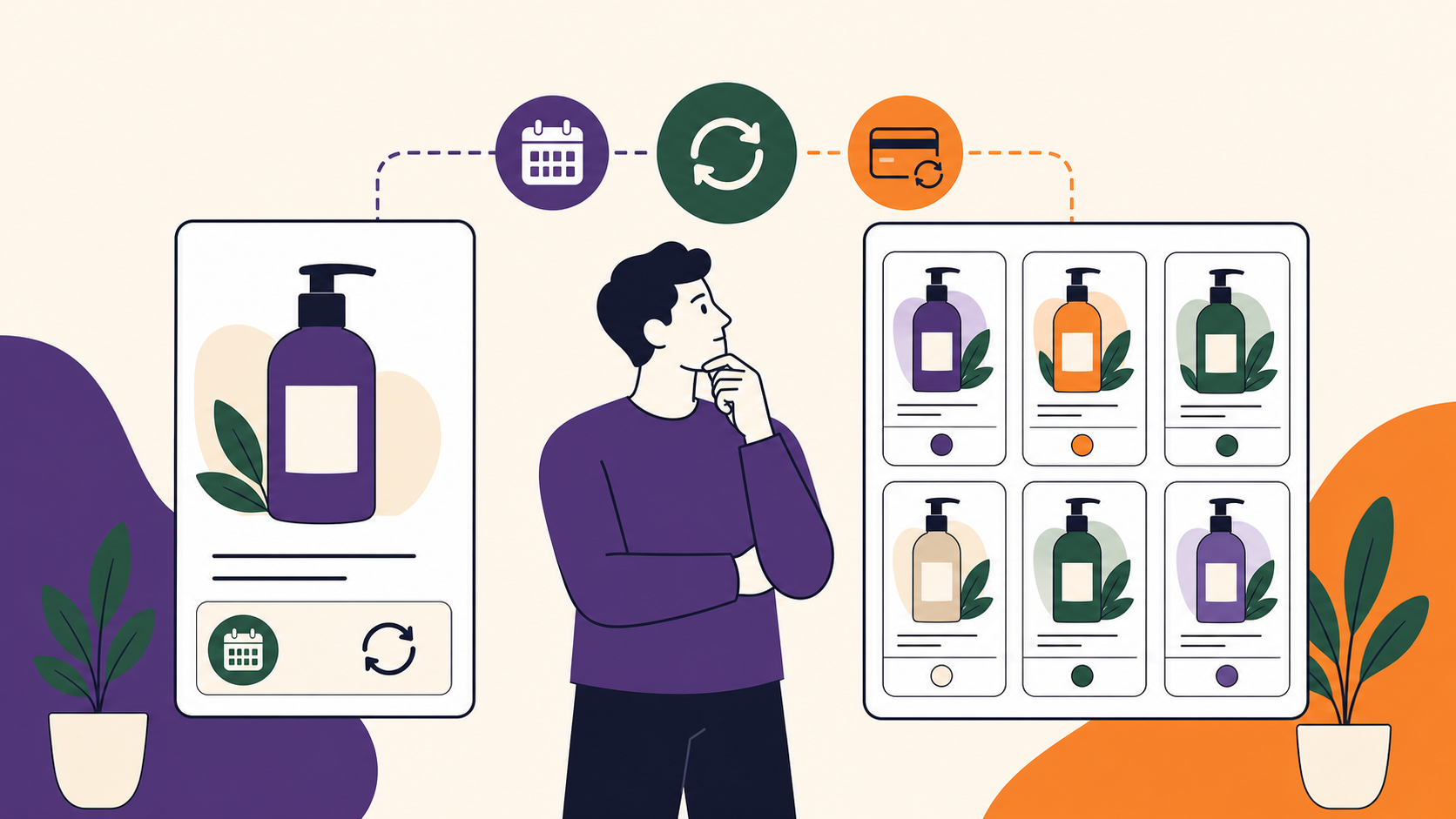
The product is what a shopper sees and chooses. It carries the proposed price and purchase terms: recurring amount, frequency, optional trial, optional sign-up fee, and optional expiration. Many customers can purchase the same product and receive separate subscriptions.
Current WooCommerce Subscriptions documentation has an important version nuance. In its 9.0-era model, Woo recommends adding subscription plans to supported standard products—such as simple and variable products—for new setups. The older dedicated Simple Subscription and Variable Subscription types remain supported; they have not simply disappeared (creating a subscription product, Subscriptions FAQ).
That product-editor language is specific to Woo's extension and can change. The stable concept is broader: the catalog offer is a template for new purchases, not the live record for every existing customer.
Changing a catalog price therefore should not be assumed to rewrite current agreements. Woo's AutomateWoo documentation explicitly treats existing-subscription price updates as a separate operation rather than an automatic effect of changing the product (bulk update subscription prices).
Subscription: the customer agreement
The subscription record answers future-looking questions:
- Who is the subscriber?
- Which items and recurring totals belong to the agreement?
- Is it pending, active, on hold, pending cancellation, cancelled, or expired?
- What payment method and addresses should future renewals use?
- When is the next payment, trial end, or final end date?
- Which parent and renewal orders are related?
This is why an order status alone cannot explain the customer relationship. One failed renewal may put an otherwise continuing agreement on hold. One paid renewal may reactivate it. The subscription's status and dates tell you where the relationship is now and what should happen next.
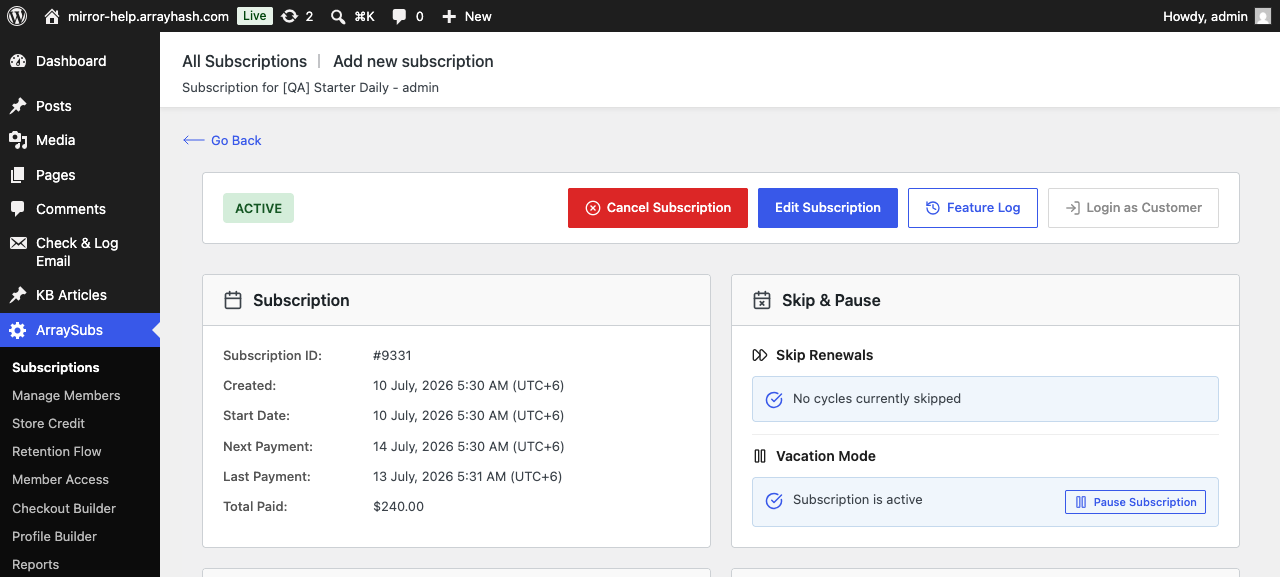
A current ArraySubs subscription record captured on the live test store on July 13, 2026. Notice how the agreement brings status, schedule, and customer actions together.
Technically, WooCommerce Subscriptions represents the agreement with WC_Subscription and stores it as a custom order type. With HPOS, it uses WooCommerce order tables; legacy storage uses a subscription post type (data structures and storage). That detail is useful for developers, but the operational rule is simpler: use the subscription as the source for the live schedule.
Parent order: the signup transaction
The parent order records the transaction that created the subscription or collected the first payment at signup. It includes familiar WooCommerce order information such as line items, totals, customer, addresses, payment result, and order status.
Most checkout-created subscriptions have a parent order, but not every subscription must. A manually created subscription does not automatically receive one unless an order is separately created. The relationship can also be one-to-many in the other direction: a single checkout order can relate to multiple subscriptions when the cart produces separately scheduled agreements (Subscription Orders).
Do not try to operate the future lifecycle by editing only the parent order. For example, putting the original order on hold is not the same as putting the subscription on hold; the latter is the record that controls scheduled payments (Subscriptions FAQ).
Renewal order: one recurring event
A renewal order is a normal WooCommerce order linked to the subscription for one later billing event. It can represent:
- a successful automatic charge;
- an automatic charge that failed;
- a manual payment waiting for the customer;
- a manual payment completed through checkout;
- a zero-total renewal used to record an event or trigger fulfillment.
The important correction is that renewal-order creation is not proof of payment success. Inspect the renewal-order status, order notes, gateway result, and resulting subscription status together.
Renewal orders also create an audit trail. They let a merchant inspect the line items, taxes, shipping, address, payment outcome, refund, and communication for one cycle without overwriting the continuing agreement.
The subscription lifecycle, step by step
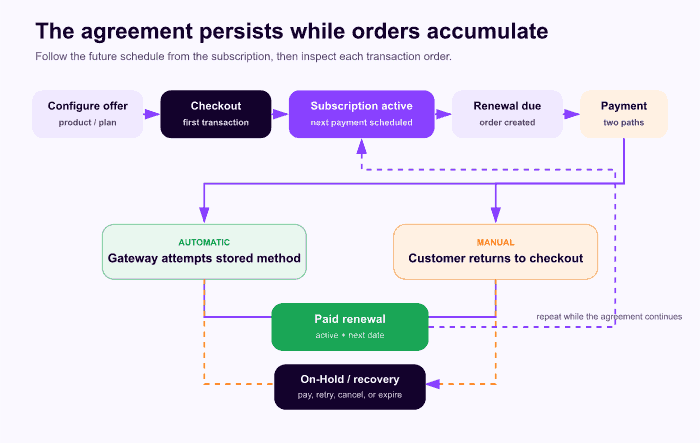
The agreement persists while transaction orders are added around it.
- The merchant defines the offer. A product or plan receives recurring price and frequency, plus any trial, sign-up fee, or expiration.
- The customer checks out. The product is placed on a WooCommerce order and the subscription engine creates a customer agreement.
- The initial transaction completes. The parent order records payment. When payment is required and succeeds, the subscription can become Active.
- The agreement waits. The subscription carries the next-payment, trial-end, and end dates.
- A renewal becomes due. The system creates a linked renewal order.
- Payment follows one of two paths. A compatible gateway attempts an automatic charge, or the customer receives a manual payment path.
- Success advances the agreement. The paid renewal is recorded and the next date is scheduled.
- Failure enters recovery. The agreement may become On-Hold while payment is retried or the customer updates the method.
- The cycle repeats or ends. Cancellation can take effect immediately or after the paid-through term; a finite agreement expires at its defined end.
Woo's current status guide distinguishes Pending Cancellation from Cancelled and Expired. Pending Cancellation lets the prepaid period continue before cancellation, while Expired means the planned end date was reached (Subscriptions Status Guide).
Automatic versus manual renewal
“Automatic” and “manual” describe how each scheduled renewal is paid. They do not mean that a store manager must manually remember to create the order.
| Question | Automatic renewal | Manual renewal |
|---|---|---|
| Who completes payment? | The integrated gateway attempts the stored method | The customer returns to WooCommerce checkout |
| Gateway requirement | Explicit subscription integration for the exact payment method | Active checkout gateways can be offered when manual renewals are enabled |
| State while unpaid | Failed charge normally leads to a recoverable On-Hold path | Agreement stays On-Hold until the customer pays |
| Customer action | None for a normal successful renewal | Open invoice/pay link and complete checkout |
| Payment method | Stored method is reused unless changed | Customer can select an available method at renewal |
| Typical email | Paid renewal receipt | Renewal invoice, then paid-order confirmation |
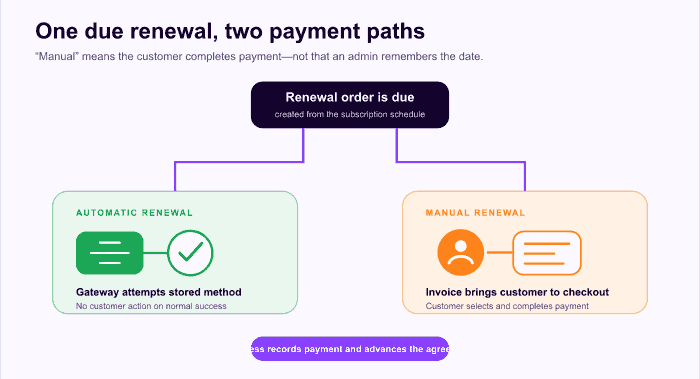
Both paths begin with a scheduled renewal order; the difference is who completes payment.
Woo states that automatic renewal requires a compatible gateway integration and that manual renewal adds customer action at every period (renewal process, enabling payment gateways). Gateway capabilities change, so verify the exact extension, method, country, currency, and installed version.
Worked example: 12 total monthly payments
Assume a coffee subscription has no trial, charges once at signup, bills monthly, and expires after 12 total payments.
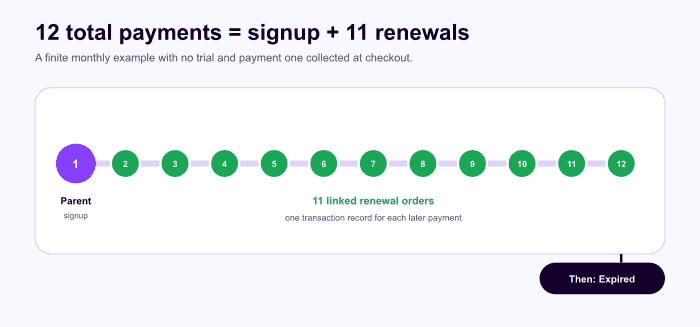
A 12-total-payment plan contains payment one at signup plus 11 later renewals.
| Event | Record created | Total payment count |
|---|---|---|
| January 10 signup | Parent order + subscription | 1 |
| February 10 | Renewal order 1 | 2 |
| March through November | Renewal orders 2–10 | 3–11 |
| December 10 | Renewal order 11 | 12 |
| After final paid term | Subscription expires | — |
Woo's product documentation says the initial purchase counts toward a configured total-payment limit. Therefore “12 total payments” is not signup plus 12 renewal orders; it is one signup payment plus 11 renewals (creating a subscription product). Always verify the counting convention in your selected engine.
Common subscription misconceptions
“The product is the subscription”
The product is a reusable catalog offer. A subscription is one customer's agreement created from it. Updating the product does not automatically mean every live agreement should change.
“A subscription is just a recurring order”
Orders record transactions. The subscription governs future dates, status, payment context, and the relationship between transactions.
“A renewal order means the payment worked”
It may be pending, failed, manual, automatic, or zero total. Confirm its order status and the resulting subscription state.
“All WooCommerce gateways renew automatically”
Automatic charging requires an explicit subscription integration for the exact method. Manual renewal can use a wider set of checkout gateways.
“Every subscription has exactly one order”
A checkout-created subscription normally has one parent order at most and can accumulate many renewal orders. It may also have switch or resubscribe-related records.
“Cancelling a renewal order cancels the subscription”
Woo's FAQ distinguishes linked-order behavior. Cancelling an individual renewal order does not automatically mean the continuing subscription has been cancelled. Inspect and change the agreement intentionally.
“Twelve months means 12 renewals after signup”
When the plan counts total payments and signup is payment one, only 11 later renewal payments remain.
How to diagnose a WooCommerce subscription
Use a consistent order of inspection:
- Open the subscription and read its status, next payment, trial end, and end date.
- Confirm the product line items and recurring total on the live agreement.
- Identify the billing event you are investigating.
- Open the related parent or renewal order for that event.
- Read order notes and the gateway result, not only the top-level status.
- Check scheduled actions for what is due next.
- Confirm the customer portal and access state match the intended agreement status.
This sequence prevents a single transaction from being mistaken for the whole relationship. For a full setup and test process, continue with How to Add Subscriptions to WooCommerce. For catalog choices, see WooCommerce Subscription Product Types Explained.
Where the model has limits
- WooCommerce core does not supply the complete subscription lifecycle by itself; behavior comes from the selected extension.
- The detailed terminology in this guide is verified against WooCommerce Subscriptions documentation and is not a promise that every plugin uses identical status names or storage.
- Current product-plan language is version-sensitive and should be rechecked after a WooCommerce Subscriptions release.
- A renewal order does not guarantee a payment, shipment, membership entitlement, or completed service.
- Billing cadence and physical fulfillment cadence can differ.
- Manual renewals add customer action and are usually a poor fit for frequent consumer billing.
- Gateway capabilities change; use a current capability table instead of a static brand list.
Frequently asked questions
Is a WooCommerce subscription the same as a subscription product?
No. A subscription product is the reusable catalog offer a store configures for future buyers. A WooCommerce subscription is one customer's live agreement, with its own status, billing schedule, totals, dates, and payment context. Editing a product therefore does not necessarily rewrite existing agreements.
What is the parent order in a WooCommerce subscription?
The parent order records the signup transaction that created the subscription. It can contain the initial payment, tax, shipping, coupons, and checkout addresses. The subscription then governs future events, while linked renewal orders record later billing transactions.
Does a renewal order mean the payment succeeded?
No. A renewal order can be created before payment is attempted or completed. Read the renewal order's status, notes, and gateway result to determine whether money was collected. Order creation proves that a billing event exists; it does not prove a successful charge.
What is the difference between automatic and manual renewal?
Automatic renewal lets a compatible gateway attempt payment with the stored payment method. Manual renewal requires the customer to return and complete checkout for the renewal order. Both paths may create a scheduled renewal order; the difference is who completes payment.
Where is the next payment date stored?
The live subscription agreement owns the future schedule, including the next payment and any trial or end dates. The product defines the offer for new buyers, and orders record individual transactions. For diagnosis, inspect the subscription schedule before looking at one related order.
Final definition
A WooCommerce subscription is the live, customer-specific agreement that governs what should happen in the future. The product defines what can be bought, the parent order records signup, and renewal orders record each later billing event. Keep those roles separate and every status, payment, and support question gets a clearer source of truth.
ArraySubs uses this WooCommerce-centered model for subscription products, agreements, orders, and renewal operations. Explore the ArraySubs overview after you understand the record model, or review pricing when you know which renewal path your store needs.
Editorial disclosure: ArraySubs is an ArrayHash product and this article is published on the ArraySubs site. Linked official WooCommerce sources support the educational definitions.
Verification note: Documentation was verified on July 13, 2026. No ArraySubs end-to-end checkout or renewal transaction was run specifically for this explainer.
Update log: July 2026 — Initial publication; entity relationships, renewal paths, status terminology, and WooCommerce Subscriptions 9.0-era product language verified.
Continue from strategy to setup
Use a recipe when the model is settled
These articles own the decision and operating model. The ArraySubs feature map and recipes cover the exact product, billing, and customer-workflow configuration.
Written by
Emran // ArrayHash
Research and practical guidance for WooCommerce subscription operators and implementation teams.
Technical review
ArraySubs Engineering Team
Reviewed against current ArraySubs code, product documentation, and the linked primary platform sources.