For WooCommerce subscriptions, tax is not a percentage chosen once at signup. The seller must establish registration or nexus, product taxability, customer location and status, and whether the seller or a Merchant of Record owns transaction tax. Each renewal should use valid inputs and leave an auditable order, payment, tax, refund, and invoice trail.
That answer is deliberately more demanding than “install a tax plugin.” A subscription is a chain of transactions. The first checkout, each renewal, an upgrade, an address change, a credit, and a refund can create different calculation or evidence questions. The safe architecture identifies who owns each question before money moves.
Key takeaways
- “Subscription” describes billing cadence, not a tax category. A physical box, SaaS license, automated course, live consultancy, and mixed membership can be treated differently.
- WooCommerce provides a calculation framework. Core tax settings do not determine where you must register, validate every exemption, monitor thresholds, file returns, or remit tax.
- ArraySubs creates and manages subscription records and WooCommerce renewal orders. It does not replace a tax adviser, VAT-ID service, automated tax engine, or tax-return system.
- In the inspected ArraySubs path, Stripe charges the final Woo renewal total; PayPal stores a Woo-derived tax percentage in a remote billing plan; Paddle acts as Merchant of Record for covered eligible sales. Those models need different controls.
- Recheck the tax facts when an address, VAT ID, exemption, product classification, rate, price, discount, refund, plan, gateway, or seller role changes.
- Reconcile four ledgers: the ArraySubs subscription, the WooCommerce order, the gateway transaction or plan, and the tax return or Merchant-of-Record statement.
Important: This guide provides general operational information, not tax, legal, accounting, or financial advice. Registration, nexus, taxability, sourcing, rates, invoice rules, evidence, exemptions, refunds, and Merchant-of-Record scope depend on the jurisdiction, contract, product, and customer facts. Obtain qualified review and use current regulator guidance before launching or changing a tax workflow.
This guide reflects a first-party review of ArraySubs 1.8.11, ArraySubs Pro 1.1.2, WooCommerce 10.9.4, the confirmed staging interface, and the cited primary sources, reverified July 22, 2026. The staging store uses synthetic data, had no local standard tax rates configured, and did not submit a live or sandbox transaction to Stripe, PayPal, or Paddle. Product-specific gateway statements below therefore distinguish code observations, provider documentation, and test hypotheses.
Why is a subscription not a tax category?
A subscription tells the billing system when to request money. It does not tell a tax authority what the customer bought, where the sale is sourced, whether the buyer is a business, or who is legally selling to that buyer.
Consider five offers that all charge $30 each month:
- a box of coffee shipped to a home;
- downloadable design assets;
- access to remotely hosted software;
- a live one-to-one coaching session; and
- a membership combining software, recorded lessons, and live support.
They share a cadence but not necessarily a classification. Even “digital” is not a universal result. Washington State, for example, explicitly discusses digital products supplied by download, streaming, subscription access, and remote-access software; that official guidance demonstrates why a nationwide US “SaaS is taxable” or “SaaS is exempt” claim is unsafe (Washington Department of Revenue).
Use four questions before touching a WooCommerce rate table.
| Question | Operational meaning | Evidence to preserve |
|---|---|---|
| Who is the buyer-facing seller? | Your company, a marketplace, or a contractual Merchant of Record | Customer terms, checkout identity, invoice issuer, processor/MoR agreement |
| Where does that seller have an obligation? | Registration, nexus, place of supply, threshold, physical presence, or another rule | Registrations, nexus analysis, establishment facts, effective dates |
| What is being sold? | Goods, software, SaaS, automated content, live service, membership, or mixed supply | Product description, tax code/class, contract, delivery method |
| Which facts apply to this transaction? | Address, buyer status, VAT ID/exemption, rate date, price, discount, shipping, credit, refund | Order snapshot, location evidence, validation result, tax calculation, invoice |
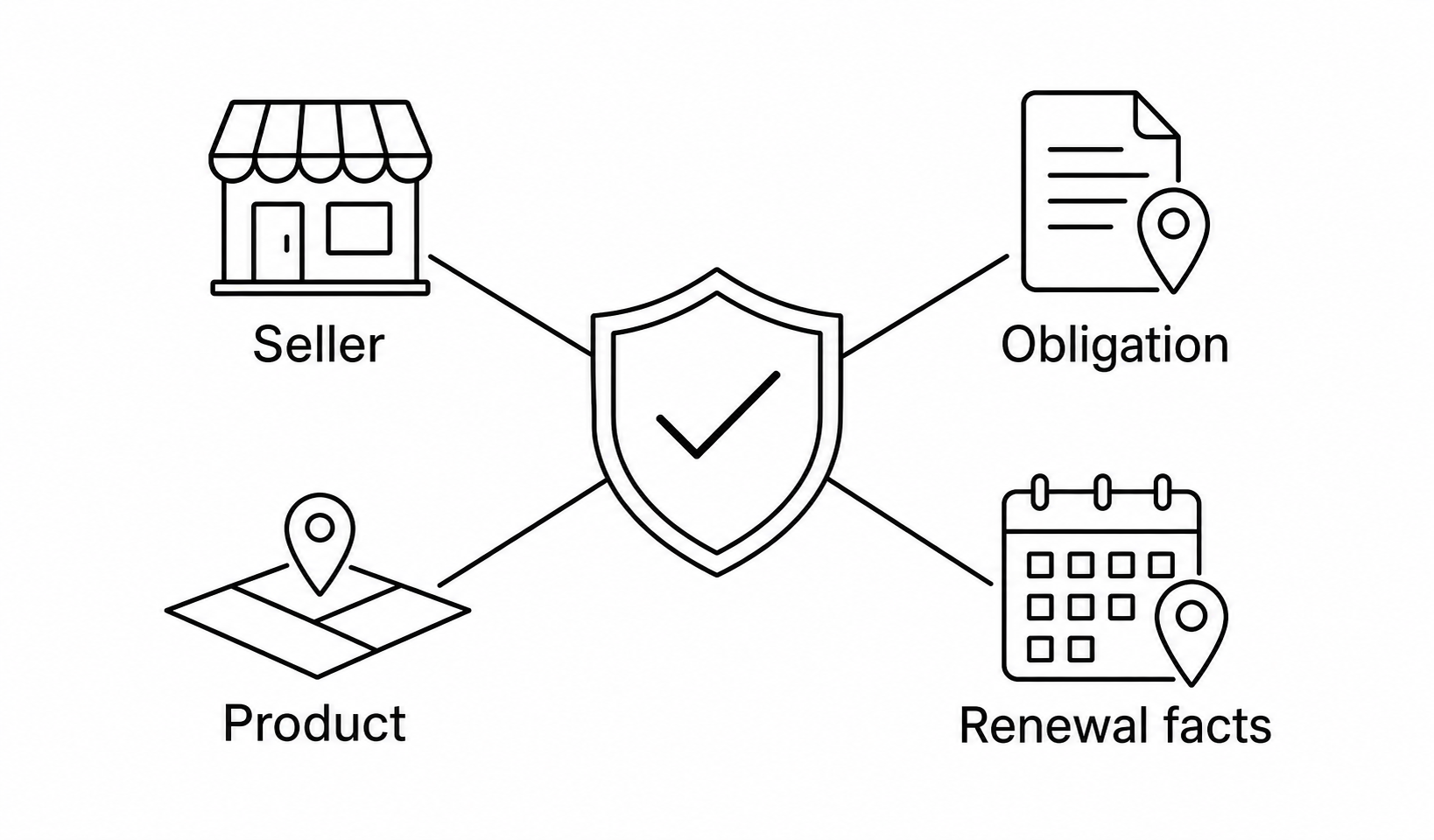
If any answer is missing, a technically correct percentage can still produce a legally or operationally wrong result.
Who owns tax: the merchant, processor, tax engine, or Merchant of Record?
Separate the parties. A payment gateway moves money. A tax engine can calculate from configured registrations and product/location data. A Merchant of Record becomes the buyer-facing reseller for transactions within its contractual scope. WooCommerce and ArraySubs coordinate the local commerce and subscription records. These roles can overlap, but they are not synonyms.
| Selling model | Buyer-facing seller for covered sale | Who determines/calculates transaction tax? | Who collects and remits? | Primary transaction-tax ledger |
|---|---|---|---|---|
| WooCommerce + Stripe processor | Usually the merchant | Merchant’s Woo tax configuration or connected tax service | Merchant, subject to its obligations | Woo order/tax engine plus Stripe payment evidence |
| WooCommerce + PayPal subscription plan | Usually the merchant | Merchant configures Woo tax and the plan percentage | Merchant, subject to its obligations | PayPal plan/sale plus Woo order reconciliation |
| WooCommerce + separate automated tax service | Usually the merchant | Tax service calculates from registrations, product codes, and transaction facts | Merchant or filing service under the chosen arrangement | Tax-service record plus Woo order |
| Paddle for eligible covered MoR sale | Paddle acts as reseller/MoR under its contract | Paddle calculates covered buyer transaction tax using its product/buyer data | Paddle for covered transaction taxes | Paddle transaction, invoice, adjustment, and statement |
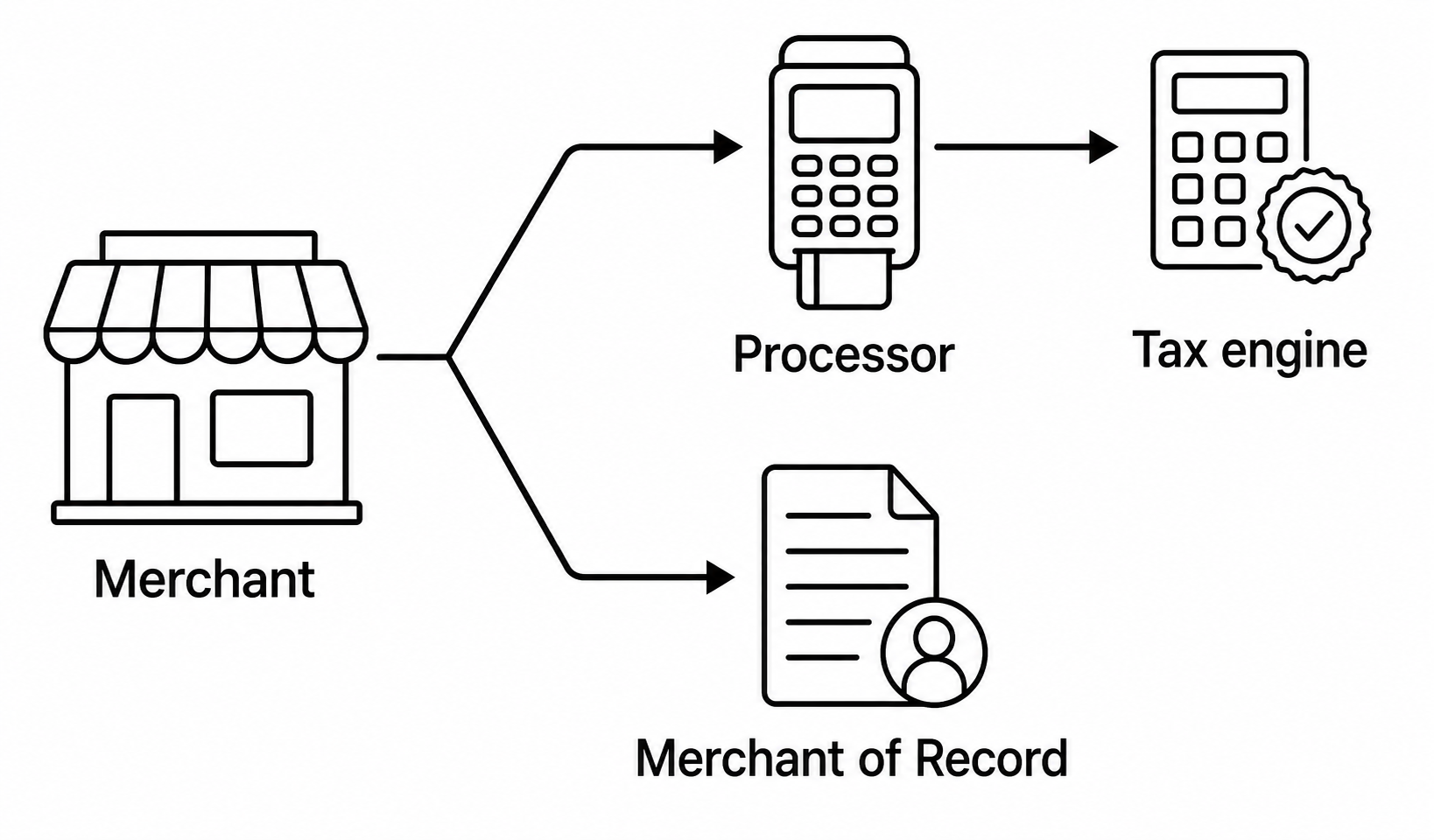
PayPal’s official seller terms place applicable tax determination, assessment, collection, reporting, and remittance responsibilities on the seller; a tax percentage field does not make PayPal the seller. HMRC likewise distinguishes a party that merely processes payment from a digital platform treated as supplier (PayPal seller terms, HMRC digital-services guidance).
Paddle’s model is different. Paddle says it acts as reseller and Merchant of Record for eligible transactions, calculates and remits applicable VAT, sales tax, and GST, and issues customer invoices. That does not erase the supplier’s product-classification, eligibility, accounting, delivery, privacy, or reconciliation duties (Paddle tax responsibility). Read the deeper Paddle Merchant of Record guide before treating a gateway switch as a tax migration.
What do EU VAT, UK VAT, and US sales tax change for subscriptions?
The right lesson is not a list of rates. Rates and thresholds change, while product and seller facts vary. Build a process that routes decisions to current authoritative sources.
European Union VAT and the One Stop Shop
The EU One Stop Shop can simplify reporting for covered cross-border B2C supplies: a business can register through one Member State, submit a single OSS return, and make one payment for covered sales rather than registering separately in every customer Member State. It is a reporting mechanism, not a substitute for classification, customer-status evidence, correct rates, registration analysis, returns, or payment. Official EU guidance also notes that OSS records may need to be retained for ten years (EU One Stop Shop).
For cross-border services, B2B and B2C rules can differ. A valid VAT number and reverse charge can matter for a business customer, but exceptions and service-specific rules apply. Do not encode “all EU subscriptions use the customer-country VAT rate.” Determine whether the supply is goods, an electronically supplied service, another service, or a bundle, then establish seller location and customer status (EU cross-border VAT).
EU guidance includes a EUR 10,000 simplification for certain EU-established suppliers of cross-border telecommunications, broadcasting, and electronic services under stated conditions. It is not a universal VAT-registration threshold, not a rule for every product, and not a worldwide seller exemption (EU services abroad).
Continuous or extended supplies can have chargeable events tied to successive payments or periods. That is why every billing cycle needs current tax controls; it is not permission to infer a filing position without local review (EU VAT chargeable events).
United Kingdom VAT for digital and continuous services
HMRC says B2C digital services supplied to UK consumers are liable to UK VAT, including cases where an overseas supplier may need registration. It also distinguishes automated electronic services—such as software, hosting, automated content, and some online publications—from services merely arranged online, such as fact-dependent live education or professional advice (HMRC digital-services guidance).
Customer location can require more than a Woo billing country. HMRC lists evidence such as billing address, IP address, bank information, SIM country, landline, and other commercially relevant facts. Store the evidence you are required to retain, protect it as personal data, and do not promise that one field proves location in every case.
For a continuous service paid regularly, HMRC’s VAT Notice 700 generally ties a tax point to issuing a VAT invoice or receiving payment, whichever occurs first, subject to detailed rules. Each renewal therefore needs a defensible payment, invoice, tax, and evidence trail rather than a silent copy of the signup percentage (HMRC VAT Notice 700).
United States sales tax and nexus
The US Supreme Court’s South Dakota v. Wayfair decision rejected the constitutional rule that a state could require sales-tax collection only when the seller had physical presence. Economic and virtual contacts can establish substantial nexus. The decision did not create one national threshold or one national SaaS rule (South Dakota v. Wayfair).
Review each relevant state’s current revenue-authority guidance. Threshold amount, transaction count, measurement period, taxable versus gross revenue, marketplace sales, registration timing, sourcing, and product taxability can differ. Physical presence—employees, inventory, offices, contractors, events, or other facts—can create a separate obligation.
Marketplace-facilitator or MoR collection also does not automatically end every seller obligation. Direct-channel sales, registrations, informational returns, franchise or gross-receipts taxes, and non-transaction taxes may remain. The Streamlined Sales Tax project is a useful coordination resource, but state-specific authority and professional review still govern the operational answer (Streamlined Sales Tax marketplace sellers).
How does WooCommerce calculate tax for a subscription product?
WooCommerce Core Taxes is a configurable calculation framework. The store enables tax, chooses an address basis, defines how prices are entered and displayed, assigns product and shipping tax classes, and maintains rates. It does not decide where the merchant is obligated to collect.
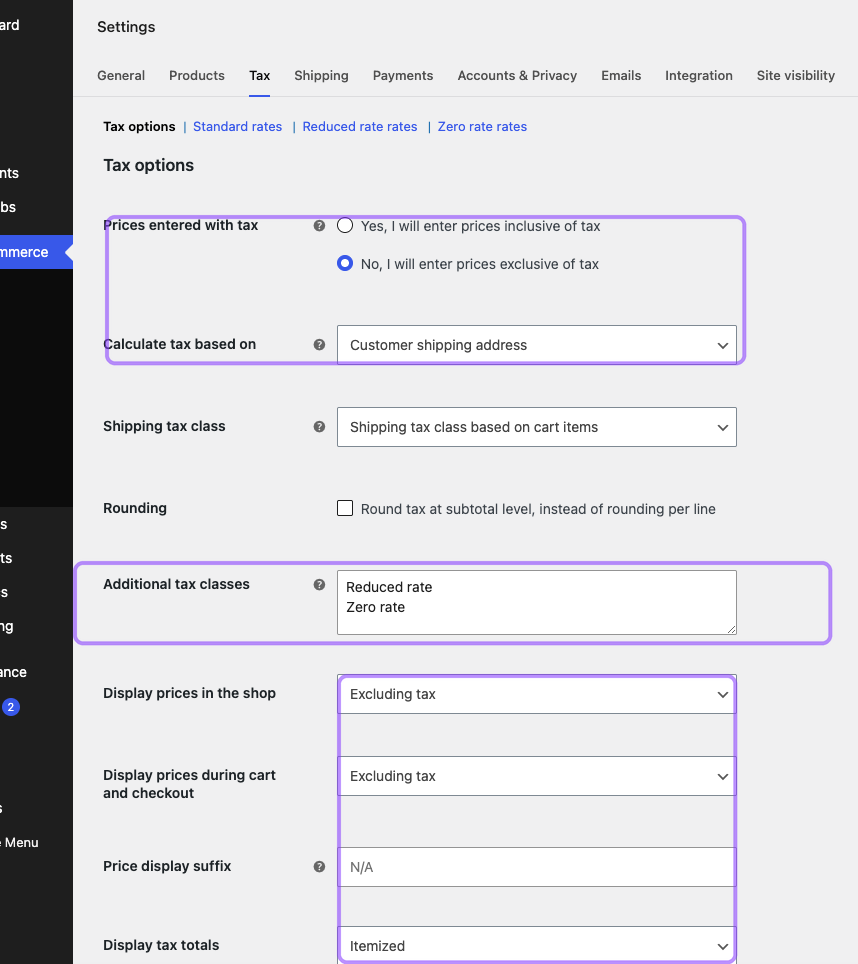
The important controls are independent:
- Prices entered with tax: whether catalog amounts contain the base tax assumption;
- Calculate tax based on: customer shipping address, billing address, or shop base;
- Tax status and class: whether an item is taxable and which configured class applies;
- Shipping tax class: whether shipping inherits from cart items or uses a specified class;
- Rounding: line-level versus subtotal behavior;
- Display settings: whether shop and checkout prices include or exclude tax and whether totals are itemized; and
- Rate table or tax extension: where the actual jurisdictional calculation is sourced.
WooCommerce’s official documentation repeatedly recommends professional tax advice. Core lets you maintain rates manually; automated calculation needs an additional extension or service (WooCommerce tax setup, Core Taxes troubleshooting).
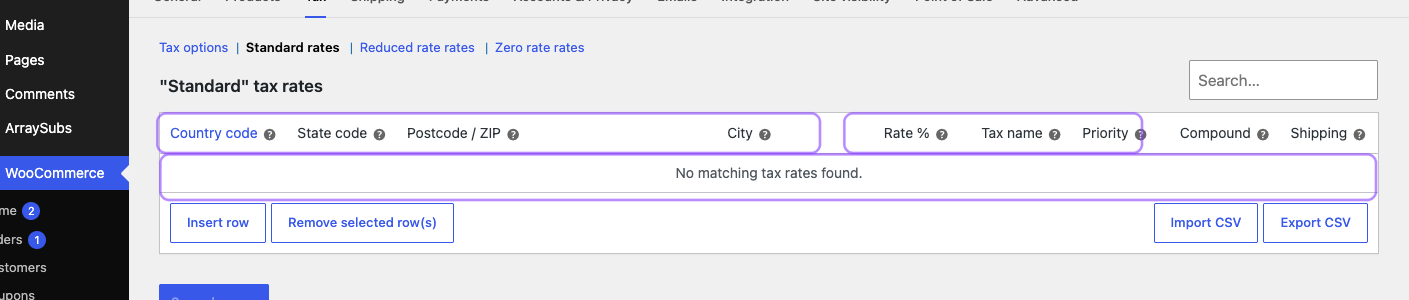
The empty staging table above is an honest limitation, not a configuration example. It proves that enabling Core Taxes does not populate legal obligations or rates. A production store needs reviewed manual rates or a tested automated-tax integration.
Inclusive and exclusive pricing produce different arithmetic
With exclusive pricing, the simplified relationship is:
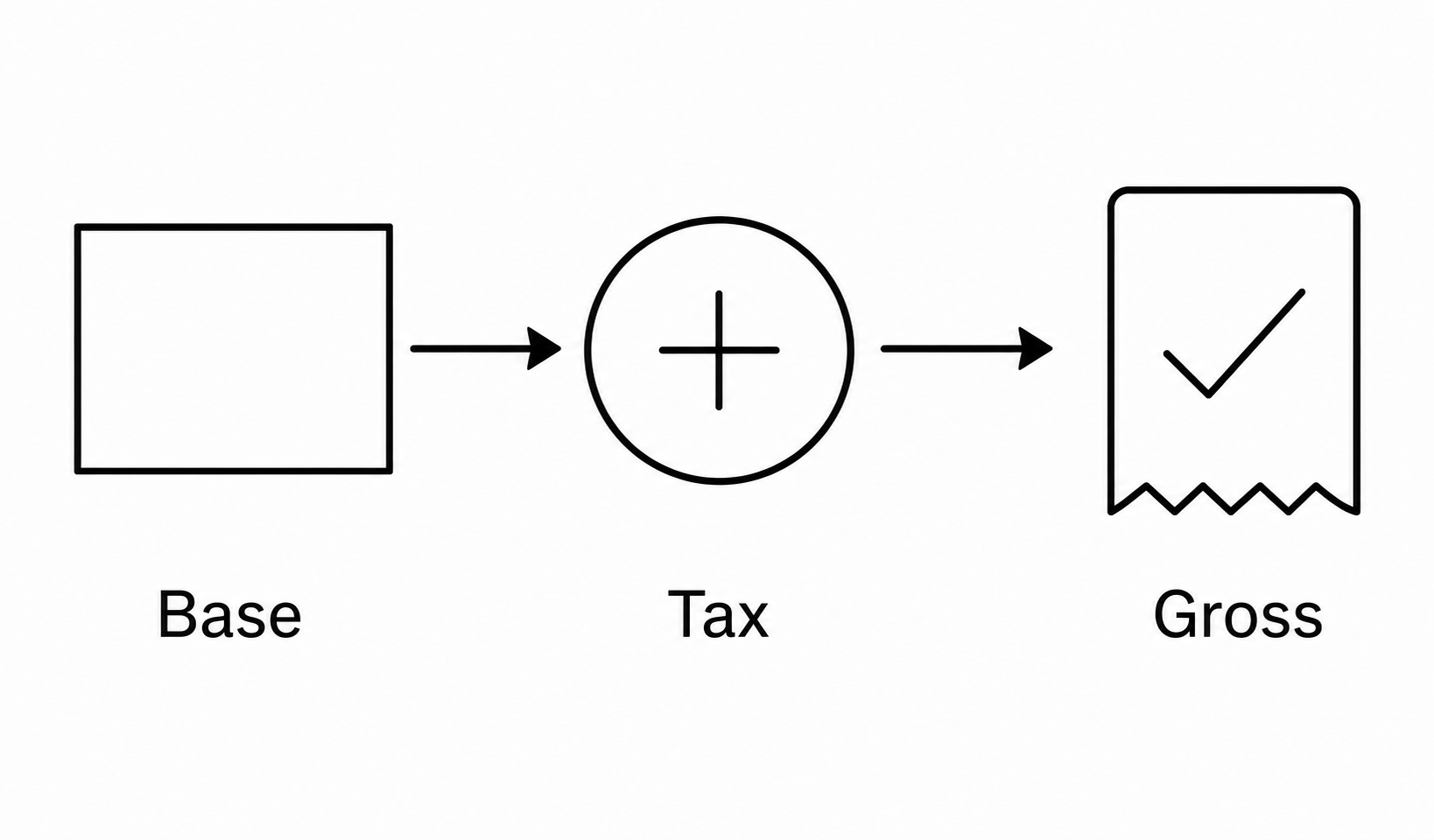
gross = taxable net + tax
At an illustrative net price of 100 and rate of 20%, tax is 20 and gross is 120.
With inclusive pricing, tax inside a gross amount is not gross × rate. The simplified formula is:
tax inside gross = gross - (gross / (1 + rate))
At a gross price of 120 and 20%, the embedded tax is 20 because 120 - (120 / 1.20) = 20. If the rate becomes 19% but gross stays 120, net becomes about 100.84 and tax about 19.16. The customer total is stable, but net revenue changes.
WooCommerce calculates tax per line, then applies its rounding and display configuration. Compare actual order tax items—not mental percentage math—when diagnosing a cent difference (How taxes work in WooCommerce).
Product tax class and subscription cadence are separate decisions
ArraySubs adds subscription cadence and recurring controls to WooCommerce products. WooCommerce still owns the product’s tax_status and tax_class inputs.
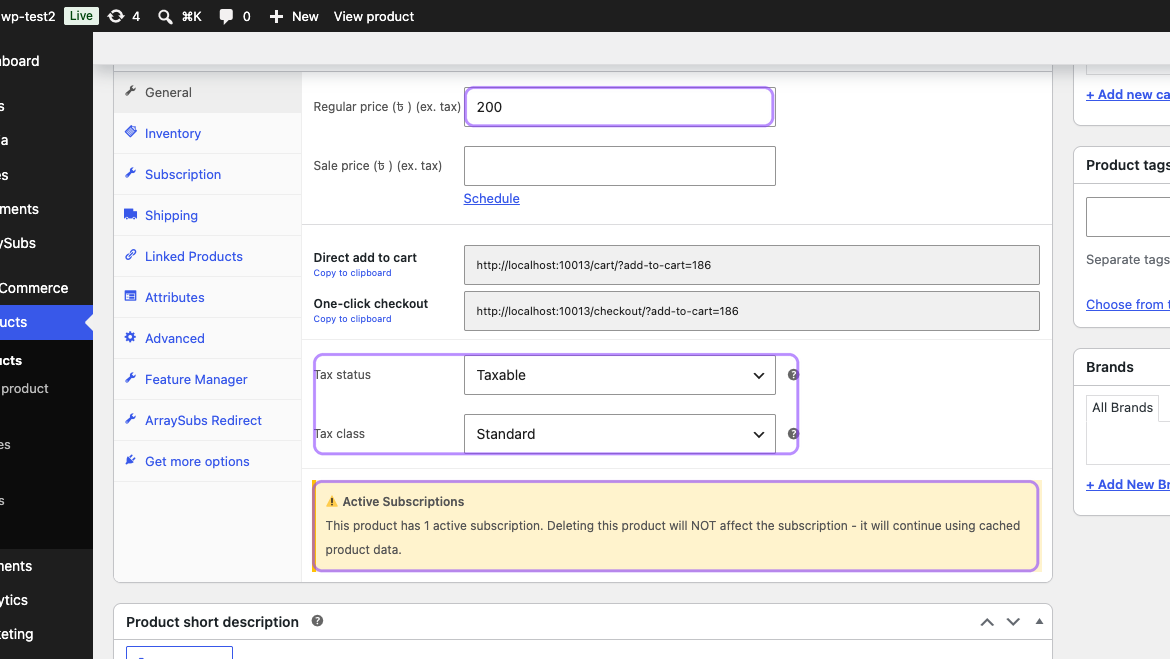
Changing a product from Standard to Zero rate is not merely a catalog edit. It can affect future order calculations, while existing subscriptions may retain cached product or recurring-price data. Document the legal effective date, identify affected subscribers, create before/after test renewals, and decide whether a supported migration is needed.
The current ArraySubs product screen also warns that deleting a product does not terminate its active subscriptions. That resilience is useful, but it reinforces an audit principle: the current catalog page is not a complete history of what an existing subscriber bought.
How should tax differ between initial checkout and renewal?
The signup order establishes the agreement. A renewal is a new commerce event with its own order, tax point, payment, and invoice evidence.
In the inspected ArraySubs core path, subscription creation stores the checkout billing and shipping addresses. When a local renewal is due, ArraySubs creates a fresh WooCommerce order, adds the current product object, applies the subscription’s stored recurring price, copies the subscription addresses, adds eligible shipping, and calls WooCommerce calculate_totals().
That produces a useful division:
- the promised recurring base price can remain stable for an existing subscriber;
- the current subscription address, product tax settings, Woo rate data, shipping, and installed tax extensions can influence the new calculation; and
- the renewal order becomes a fresh evidence object rather than a photocopy of checkout.
A practical local-renewal model is:
gross renewal = stored recurring base + current taxable shipping and fees - current discounts or credits + current applicable tax
That formula is a control model, not a substitute for Woo’s actual calculation. Inclusive pricing, compound rates, fee taxability, shipping rules, exemptions, and third-party tax engines can alter the components.
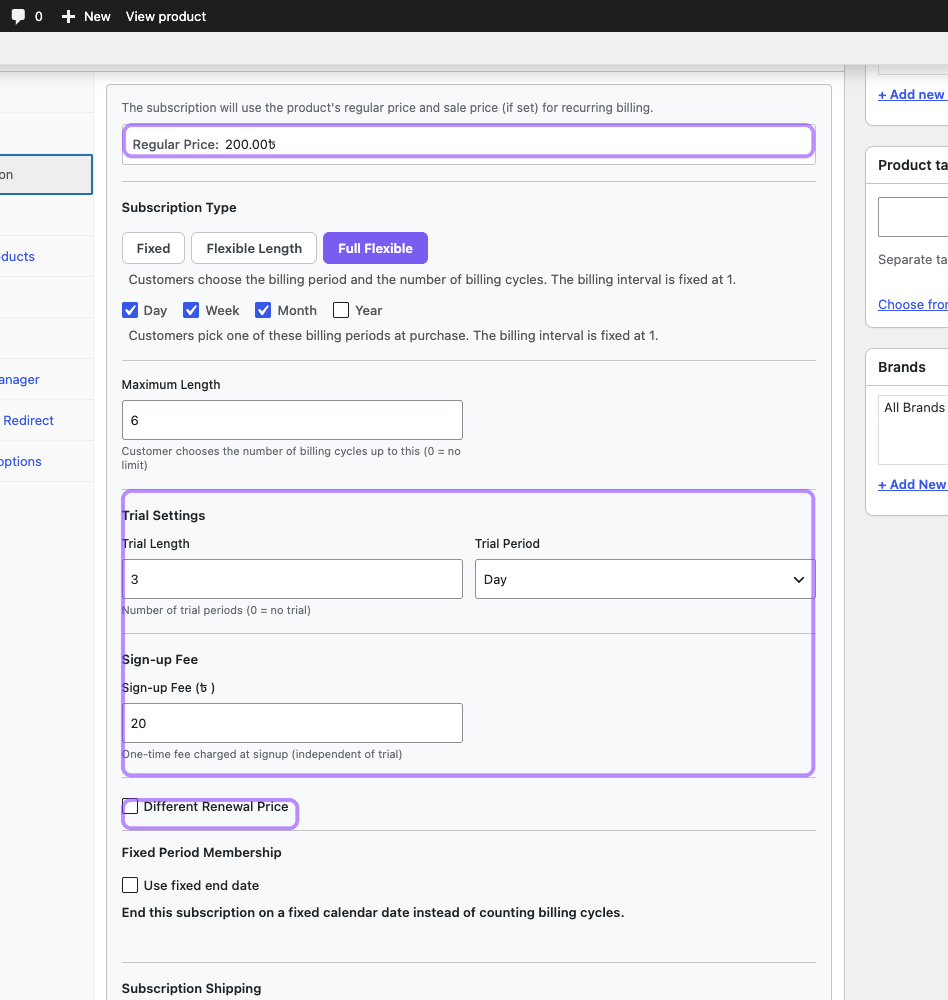
The screenshot shows why one “subscription price” is insufficient. Signup can include a one-time fee, a trial can move the first paid event, a different renewal price can change later cycles, and recurring versus one-time shipping changes the taxable base. The detailed tax and shipping renewal guide owns those narrow mechanics.
Worked example: an exclusive-tax rate change
Assume an illustrative stored recurring net price of 100. Signup used 20%, so the buyer paid 120. Before renewal, the applicable reviewed rate becomes 21% and the effective date includes that cycle.
If the subscription address and Woo tax data are current, a fresh local renewal can calculate:
| Component | Signup | Renewal |
|---|---|---|
| Stored recurring net | 100.00 | 100.00 |
| Illustrative tax | 20.00 | 21.00 |
| Gross charged | 120.00 | 121.00 |
The recurring net commitment stayed 100; the gross changed. Customer notices, price displays, authorization terms, and invoice wording may need review even when the merchant did not “raise the price.”
Renewals need an effective-date policy
For each tax change, record:
- the authority or adviser decision;
- the affected registration, jurisdiction, and product class;
- the legal and system effective dates;
- which renewal timestamps fall before or after the change;
- whether prices are inclusive or exclusive;
- the expected order, tax, and gateway totals; and
- how corrections, credits, or customer communications will be handled.
Do not edit a percentage and assume queued orders, remote billing plans, tax-engine caches, and existing invoices all changed together.
How should physical, digital, service, and mixed subscriptions be classified?
Create a product-classification worksheet before creating tax classes.
| Offer fact | Question to answer | Why it matters operationally |
|---|---|---|
| Delivery | Shipped goods, download, remote access, automated content, or live human work? | Can change taxability, place of supply, and evidence |
| Rights | Ownership, license, access, support, or bundled benefits? | The legal supply may differ from marketing name |
| Location | Where are seller, buyer, inventory, and service performance? | Can affect nexus and sourcing |
| Customer | Consumer, validated business, reseller, exempt organization? | Can affect tax, reverse charge, or documentation |
| Bundle | One dominant supply or separable components? | A blended line can hide different rates and refund allocation |
| Cadence | Initial fee, trial, recurring charge, usage, shipping? | Each component can have a different tax point or base |
When the legal analysis supports separate treatment, model separate Woo line items or explicit components and assign reviewed classes. A single “membership” line combining a taxable software license, exempt live service, and physical welcome kit may be easy to sell but difficult to calculate, refund, and explain.
ArraySubs supports subscription products, trials, sign-up fees, different renewal prices, flexible periods, and recurring or one-time shipping. Those features make the commercial model expressive; they do not classify the supply. Keep the legal classification and software configuration linked in change control.
What happens when the customer’s address changes?
Address changes are tax events, not just profile maintenance. They can affect sourcing, evidence, registration exposure, tax rate, and a remote plan’s agreement with the local order.
ArraySubs stores billing and shipping addresses on the subscription. Admins can update both. The current customer portal endpoint updates the subscription shipping address and enforces a default three-day cutoff before the next renewal. Updating a customer’s general WooCommerce account address is not proof that the subscription’s stored address changed.
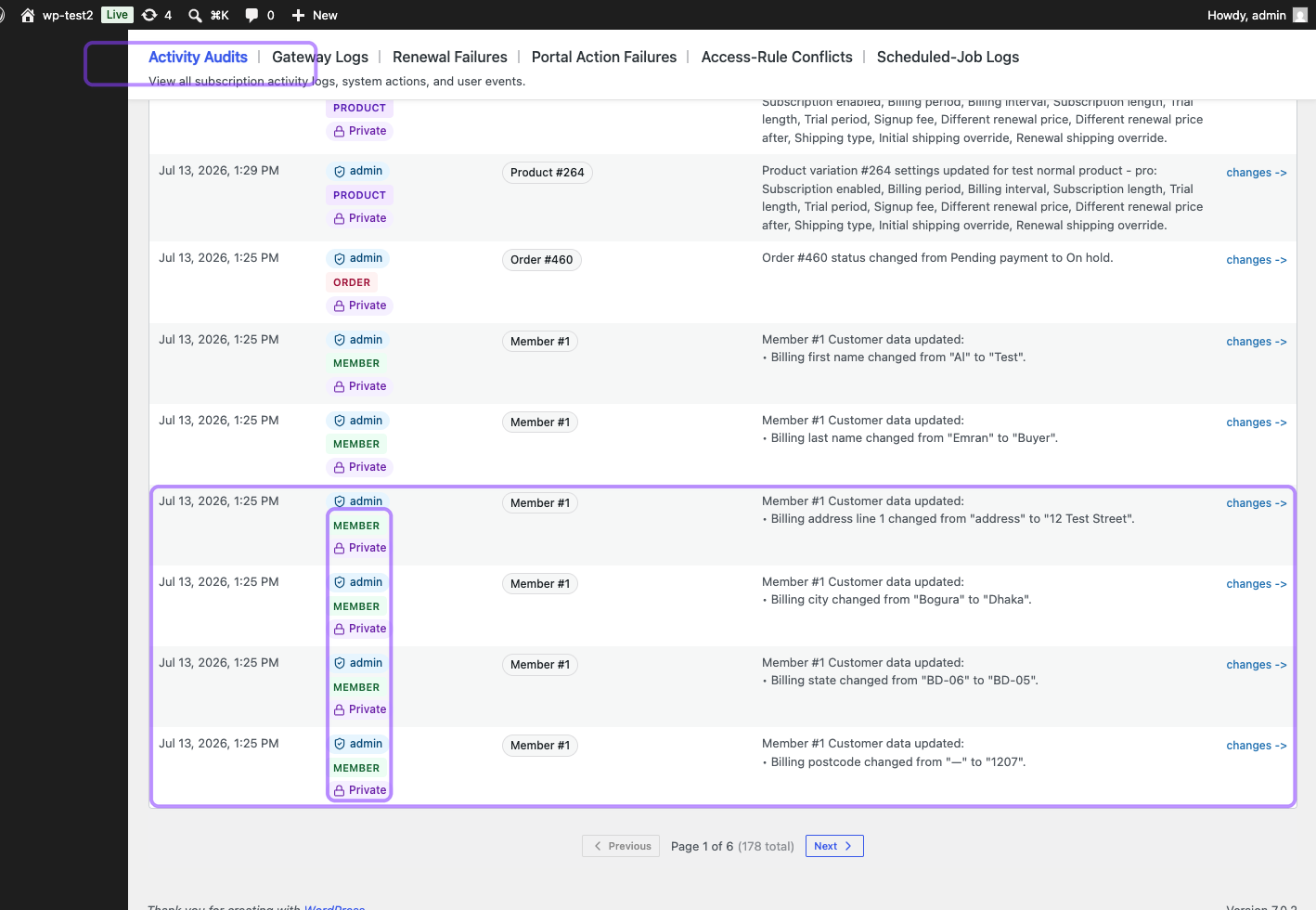
Activity Audits can preserve useful change evidence: actor, time, entity, and before/after address fields. Treat those records as sensitive customer data. Restrict access, retain only what policy and law require, and avoid copying full personal details into ordinary support tickets.
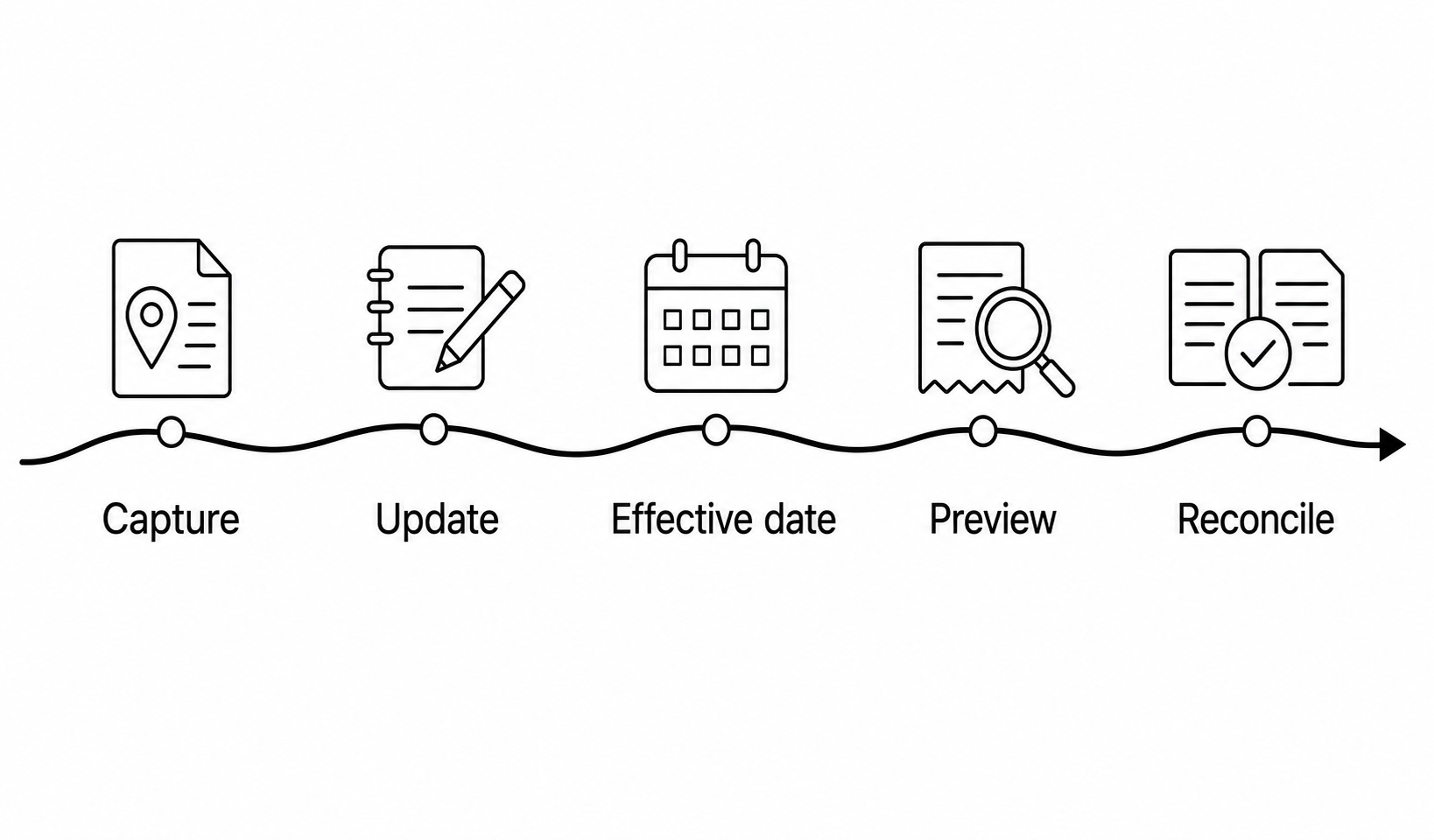
Use an explicit address-change workflow:
- identify which address drives tax for the product and jurisdiction;
- update the subscription record, not only the customer account;
- record the effective time and who made the change;
- update or migrate any gateway-controlled plan that embeds tax or address data;
- preview the next renewal with the installed tax stack;
- communicate a material gross-total change where required; and
- compare the next order, payment, invoice, and tax record.
The member payment-method update recipe solves a different problem. A new card does not update tax location, and a new billing address attached to a card does not automatically prove the subscription tax address changed.
VAT IDs and exemptions need validation, not a text box
ArraySubs does not natively validate VAT IDs through VIES, decide reverse charge, manage exemption certificates, monitor expiry, or create OSS returns. A generic custom field can collect characters; it cannot establish that the identifier was valid for the customer and transaction at the relevant time.
WooCommerce’s separate EU VAT Number extension can collect and validate IDs, apply configured exemptions, compare billing country with IP evidence for digital goods, and preserve evidence. It is a separate extension and must be tested with your renewal, gateway, invoice, refund, and customer-change flows (WooCommerce EU VAT Number).
For any exemption workflow, preserve:
- submitted identifier or certificate reference;
- validation provider and result;
- validation time and applicable customer entity;
- country/location evidence required by policy;
- product/supply classification;
- effective date and expiry;
- which orders received the exemption; and
- the response when validation later fails.
Do not silently apply a new exemption to old invoices or assume it changes an already accepted remote PayPal plan.
How should discounts, credits, refunds, and invoices handle tax?
Tax follows the transaction’s taxable base and jurisdictional rules, not the marketing label on a promotion.
Discounts need explicit allocation
A percentage coupon across products with different classes may need proportional allocation. A fixed credit can affect the tax base differently from store credit, a refund, or a goodwill payment. Normal ArraySubs renewal construction does not copy ordinary coupon lines from the original order. Retention discounts and plan-switch charges have their own paths.
The current ArraySubs retention discount is implemented as a non-taxable negative fee. That is a software behavior, not a universal tax conclusion. Review the intended treatment, inspect the renewal’s line tax before and after the offer, and test your invoice and tax export.
A refund is not a future price change
A refund or credit adjusts a prior transaction. It does not automatically alter the next renewal’s price or tax. Link the refund to the original order, lines, tax, gateway transaction, and invoice or credit note. For partial refunds, define how product, shipping, fee, discount, and tax are allocated.
For Paddle, use the remote Adjustment and transaction records as the covered buyer-tax authority. Paddle’s API exposes transaction totals and tax details, and its Adjustment API handles refunds and credits (Paddle transaction, Paddle adjustment).
An invoice needs an owner
Decide which document is the legally relevant customer invoice for each selling model. A Woo PDF, Stripe receipt, PayPal record, and Paddle MoR invoice are not automatically interchangeable. Avoid sending two documents that identify different sellers or contradictory tax amounts.
Your invoice control should verify:
- legal supplier or MoR identity;
- customer identity and required location details;
- invoice number/date and tax point;
- product description, classification, and period;
- net, discount, shipping, tax rate/name/amount, and gross;
- VAT ID, exemption, or reverse-charge wording where applicable;
- original invoice link for a credit/refund; and
- currency and conversion evidence where required.
How do Stripe, PayPal, and Paddle differ in ArraySubs tax handling?
Gateway choice changes where calculation happens, who controls renewal timing, and which ledger is authoritative. Review the payment-gateway feature overview and the automatic-versus-manual gateway guide before building one tax runbook for every provider.
Stripe: Woo calculates, ArraySubs charges the final order total
In the inspected automatic-renewal path, ArraySubs creates the Woo renewal order, lets WooCommerce calculate its total, and sends that final amount to an off-session Stripe PaymentIntent. The request includes amount, currency, customer, payment method, and ArraySubs/Woo metadata. It does not create a Stripe Billing subscription or invoice and does not enable Stripe Tax.
Therefore:
- the merchant remains responsible for its selling and tax obligations;
- WooCommerce or the installed tax extension calculates the local renewal;
- ArraySubs sends the resulting gross order total to Stripe; and
- Stripe payment evidence must reconcile to the Woo order and tax ledger.
Stripe Tax is a separate product that can calculate tax in supported Stripe flows, including Stripe Billing recurring payments, and can monitor potential obligations from relevant Stripe-processed sales. Stripe still tells businesses to confirm actual registration requirements. Do not claim Stripe Tax covers ArraySubs renewals merely because Stripe processes the PaymentIntent (Stripe tax calculation, Stripe Billing tax, Stripe obligation monitoring).
The Stripe automatic billing and SCA recipe owns the gateway setup steps. Add tax scenarios to its payment tests; do not replace them with a single zero-tax renewal.
PayPal: tax is embedded in the remote plan at checkout
ArraySubs Pro calculates an effective tax percentage from Woo rates and checkout location, includes the percentage and inclusive/exclusive mode in the remote plan signature, and sends plan-level tax to PayPal. PayPal then owns the remote billing schedule and later notifies the store about completed sales.
PayPal’s Subscriptions API supports a plan tax percentage and inclusive flag (PayPal Subscriptions API). That field transmits the merchant’s selected tax model. It is not evidence that PayPal determined taxability, monitored nexus, or became Merchant of Record.
Source inspection found no ArraySubs path that updates the tax percentage of an already accepted PayPal subscription when a customer address, Woo rate, product class, or exemption later changes. This creates a critical test case:
- create a sandbox plan at an illustrative 20%;
- change the subscription address/rate to an illustrative 21%;
- allow PayPal to create the next remote sale;
- compare the sale amount with the local renewal order; and
- block launch or migrate the agreement if remote and local results drift.
Do not state the expected 120-versus-121 mismatch as proven until your sandbox test records it. The code path identifies risk; settlement evidence confirms behavior.
Paddle: remote MoR transaction is tax truth for covered sales
Paddle’s covered MoR transaction model means Paddle calculates buyer tax and issues the customer invoice. ArraySubs Pro syncs products/prices, opens hosted checkout, stores Paddle transaction and subscription identifiers, handles lifecycle webhooks, supports adjustments/refunds, and provides Gateway Health context.
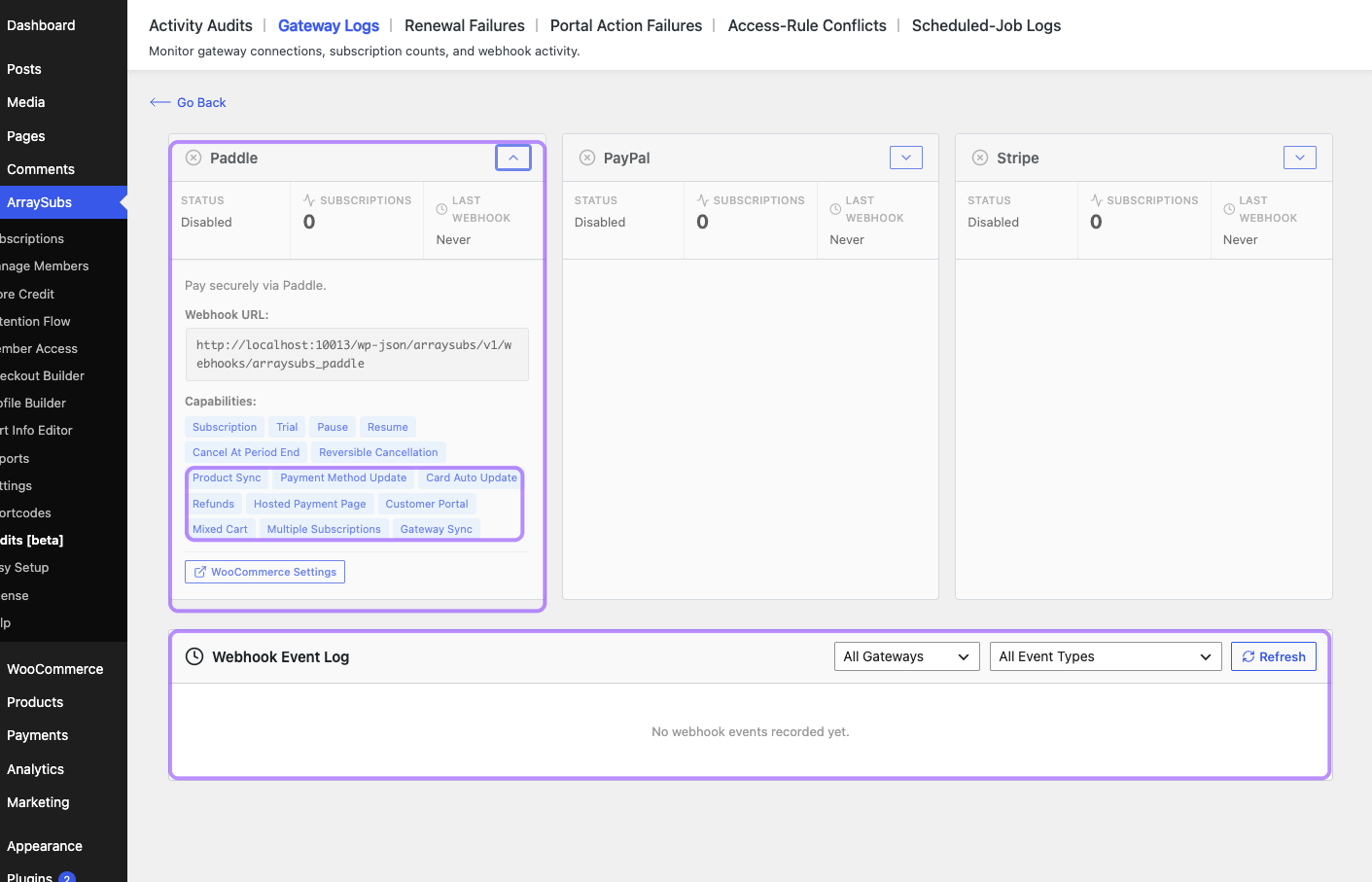
The UI proves that the integration exposes Paddle capabilities and operational webhook context. It does not prove tax classification, calculation, remittance, or invoice correctness.
Current ArraySubs product sync sends Paddle a hard-coded tax_category: standard. Do not interpret that default as professional classification for every SaaS product, plugin, ebook, game, membership, course, or mixed service. Confirm the supported Paddle category and integration behavior before publishing a product.
Paddle documents transaction details as the source of truth for totals, including tax, discounts, credits, and currency conversion. In the inspected ArraySubs webhook path, the integration stores Paddle IDs and payout total and marks the Woo order paid; source review did not find line-level Paddle tax rates/totals persisted into Woo tax items. Treat that as an implementation finding to test, not a promise about every version.
The operating rule is:
Paddle transaction/invoice/adjustment = covered buyer-tax truth; Woo order/ArraySubs subscription = local operational truth; reconciliation = proof that they describe the same commercial event.
Do not calculate Woo tax again and add it on top of Paddle’s buyer total. Define which local values are estimates, which are imported remote results, and which document the customer receives. Paddle supports tax-inclusive and tax-exclusive presentation under its own model (Paddle tax pricing).
What should a four-ledger tax reconciliation prove?
Every renewal should connect four records.
| Ledger | Minimum identifiers and amounts | Control question |
|---|---|---|
| ArraySubs subscription | Subscription ID, product/plan, billing period, stored recurring price, address, gateway IDs | What agreement and facts should govern this cycle? |
| WooCommerce order | Renewal order ID, line net, shipping, fees, discounts, tax lines, total, status | What did the local commerce engine calculate and record? |
| Gateway transaction or plan | Payment/transaction/sale ID, remote subscription/plan, gross, currency, status, refund | What moved remotely, and under whose schedule? |
| Tax return, engine, or MoR statement | Tax calculation ID, registration, jurisdiction, filing period, invoice/credit, remittance or statement | Where was the transaction reported and settled? |
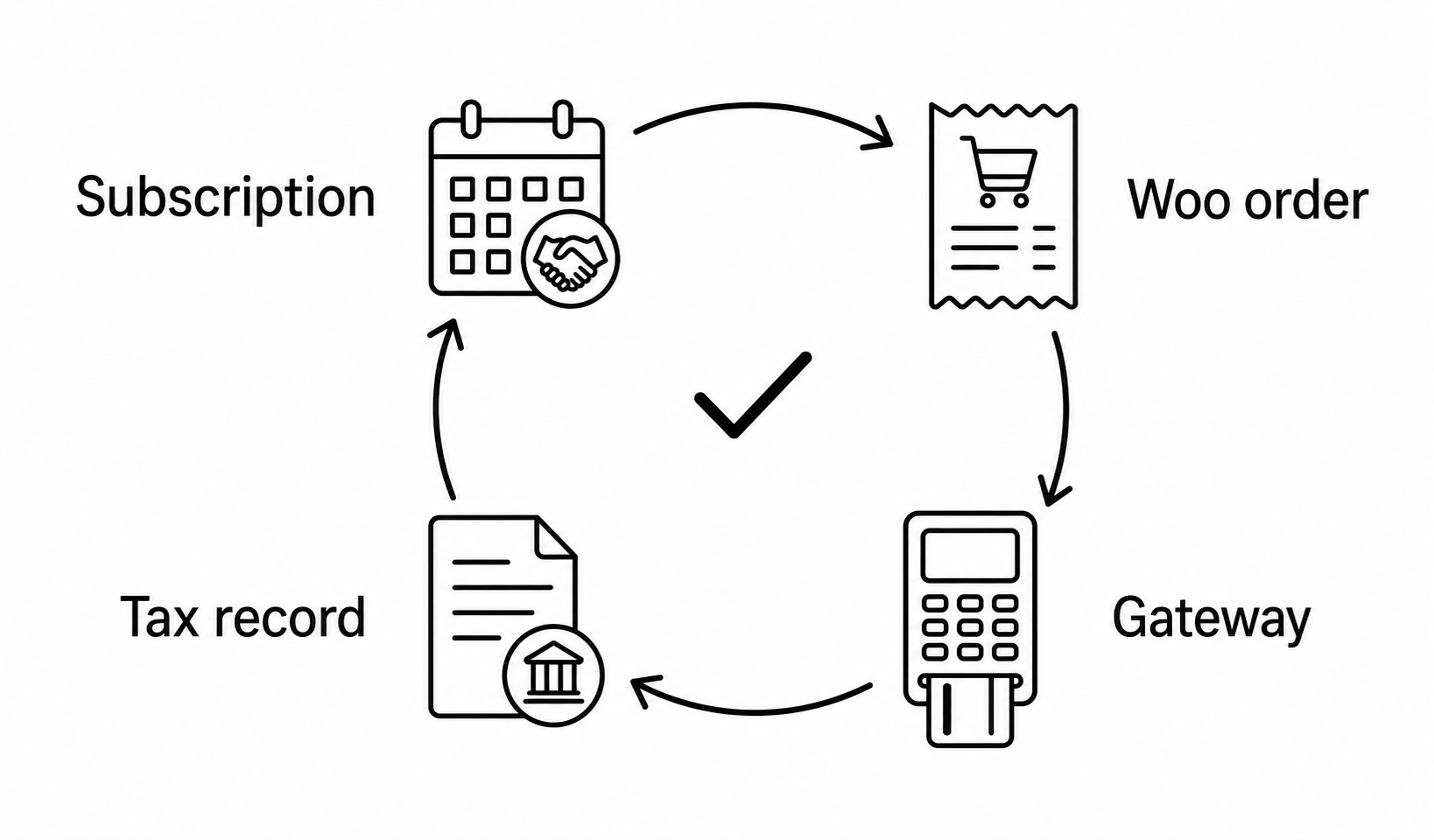
For each cycle, prove:
- one subscription produced or correlated to one renewal order;
- the order used the intended address, customer status, product class, and effective rate;
- one provider outcome settled that order for the same gross and currency;
- refund/adjustment evidence points back to the same line and invoice;
- the tax service, return, or MoR statement contains the transaction exactly once; and
- any difference is classified, approved, and repaired.
Webhook monitoring is part of that chain, not its conclusion. Use the subscription webhook monitoring guide and Gateway Health recipe to distinguish provider delivery from successful business reconciliation.
What changes should trigger tax review?
| Change event | Possible tax impact | Minimum action |
|---|---|---|
| New signup | Seller role, product class, buyer location/status, inclusive mode | Validate configuration and retain calculation/invoice evidence |
| Renewal | Current rate, address, exemption, discount, tax point | Recalculate locally or verify authoritative remote result |
| Billing/shipping address | Sourcing, evidence, rate, remote-plan mismatch | Update subscription/provider, record effective date, test next cycle |
| VAT ID or exemption | B2B/B2C or exempt treatment | Validate, preserve evidence, define future/corrective scope |
| Product or plan switch | Classification, price, proration, mixed supply | Reclassify lines and preview switch plus next renewal |
| Discount or credit | Taxable base and allocation | Model explicit lines and compare tax before/after |
| Full or partial refund | Tax reversal, line allocation, credit note | Link adjustment to original order/invoice and return period |
| Rate or law change | Future cycles and possible transition rules | Effective-date update plus before/after renewal tests |
| Gateway migration | Seller, tax engine, invoice owner, remote schedule | Rebuild responsibility matrix and reconcile first live cycles |
Use change management, not memory. Assign an owner, deadline, test case, approval, rollback or repair path, and post-change reconciliation.
How should a store implement tax controls before launch?
1. Write the responsibility matrix
Name the legal seller, payment processor, tax engine, filing service, invoice generator, and Merchant of Record if any. Map each product and country/state to the approved selling model. Keep the signed contract and current scope alongside the architecture record.
2. Build the obligation register
For each jurisdiction, record registration status, registration number, effective date, filing frequency, product scope, sourcing method, invoice requirements, exemption process, adviser/source, owner, and review date. Do not store one universal “nexus threshold” setting.
3. Classify products before assigning software classes
Describe what is delivered, how it is delivered, customer rights, human involvement, seller/customer locations, and bundle components. Map the reviewed result to Woo tax status/class or the tax engine’s product code. Confirm Paddle eligibility/category separately.
4. Configure WooCommerce deliberately
Choose inclusive or exclusive price entry, calculation address, shipping tax behavior, rounding, display, itemization, rates or extension, and invoice integration. Test manual-rate precedence and tax-extension hooks. Keep staging and production configurations aligned without copying customer data.
5. Define customer evidence and change workflows
Decide which address is authoritative per product and jurisdiction, which extra location evidence is required, how VAT IDs/exemptions are validated, and how late changes affect the next renewal. Make portal limits and support escalation explicit.
6. Configure the gateway-specific tax control plane
- Stripe: prove Woo/tax-extension calculation before PaymentIntent creation and reconcile one order to one charge.
- PayPal: prove the plan tax created at checkout, then define how address/rate/exemption changes trigger migration or exception handling.
- Paddle: prove product classification, Paddle transaction tax, buyer invoice, adjustment, payout, and local order correlation without double tax.
- Manual gateways: decide when an unpaid renewal invoice calculates tax and what happens if payment arrives after a rate or address change.
7. Test a representative matrix
At minimum, cover:
- domestic and cross-border buyers;
- consumer and validated business customers;
- physical, digital, service, and mixed products;
- taxable, exempt, reduced, and zero-rated reviewed cases;
- inclusive and exclusive pricing;
- initial order, normal renewal, address change, rate change, plan switch, discount, partial refund, and cancellation; and
- each automatic and manual gateway you actually enable.
8. Reconcile and retain evidence
Compare the four ledgers after each representative test. Retain only necessary data for the required period, protect VAT/location evidence, and document differences. Set a quarterly review plus change-triggered reviews after WooCommerce, WordPress, ArraySubs, tax-service, invoice, or gateway updates.
Should a subscription business use a processor or Merchant of Record?
There is no universal winner. Choose the operating model, not a logo.
| Consideration | Direct seller + processor/tax stack | Merchant of Record |
|---|---|---|
| Customer relationship | Merchant directly controls seller terms and invoice | MoR is reseller for covered transactions |
| Tax registrations/returns | Merchant or its service manages them | MoR handles covered buyer transaction taxes |
| Product flexibility | Broad, subject to chosen gateway/service | Limited to MoR eligibility and category rules |
| Checkout/pricing control | High local control | Constrained by MoR checkout, pricing, and contract |
| Fees and payout | Separate processor/tax/invoice/filing costs | Bundled commercial fee and payout model |
| Data and reconciliation | Merchant composes multiple systems | Remote MoR ledger still must reconcile locally |
| Migration risk | Tax configuration and registrations stay merchant-owned | Moving into/out of MoR changes seller, invoice, tax, and subscription architecture |
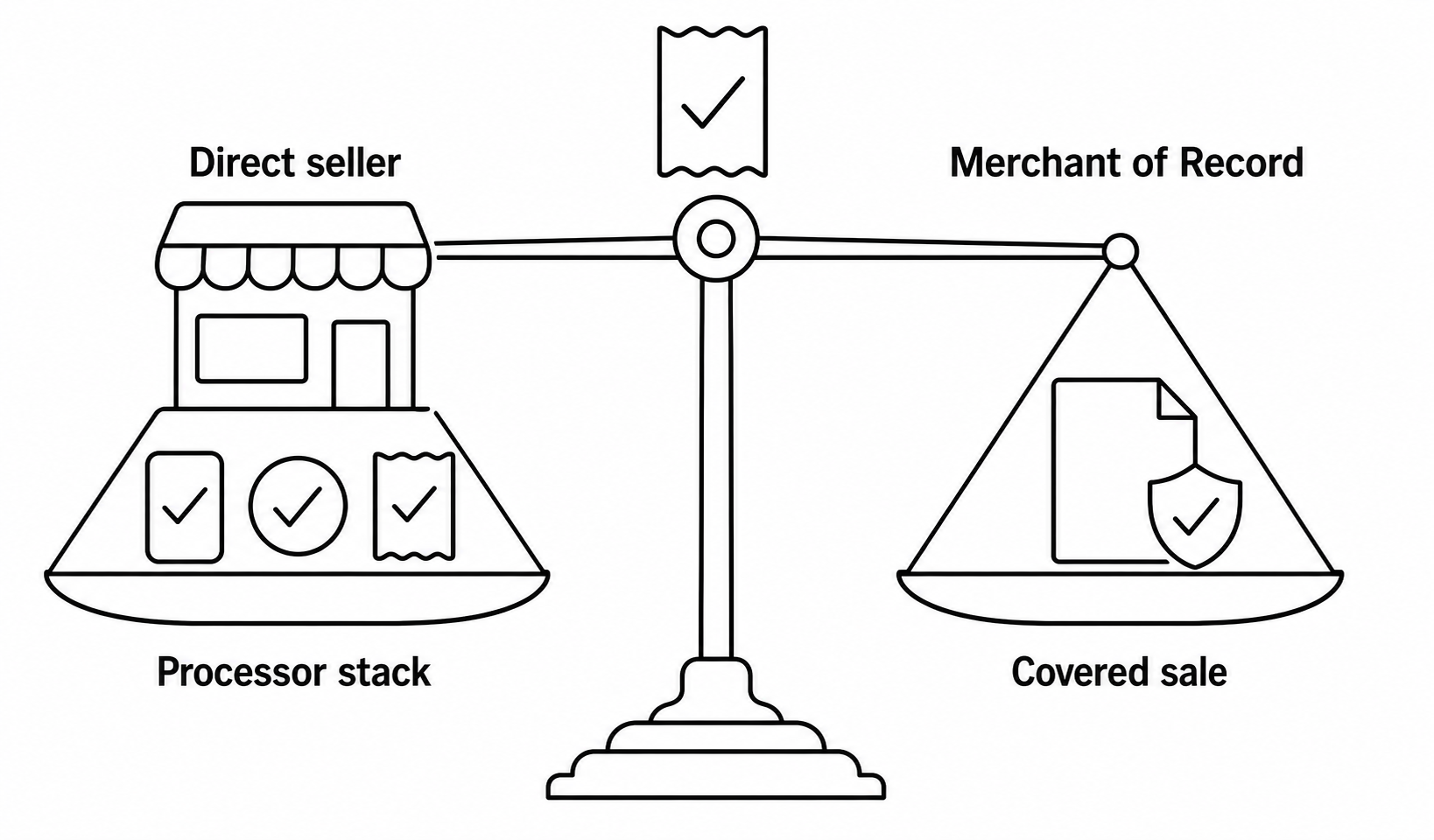
A direct WooCommerce seller can be appropriate when it has tax expertise, registrations, product flexibility needs, and a tested automation stack. A MoR can reduce covered transaction-tax operations for eligible digital products, especially across many jurisdictions, but it changes checkout, seller identity, invoicing, refunds, data flow, economics, and exit planning.
ArraySubs Free provides the shared subscription engine, Woo renewal orders, lifecycle, customer records, and manual-gateway workflows. ArraySubs Pro adds Stripe, PayPal, and Paddle automatic-payment integrations, gateway sync/recovery capabilities, and Gateway Health. Neither license tier turns unreviewed product and customer data into legal tax advice.
If that gateway and lifecycle coverage matches your reviewed architecture, view ArraySubs Pro pricing. Make the tax ownership decision first; then select the implementation.
What should be tested after every tax or gateway change?
Use this release gate:
- Catalog: correct tax status/class or remote product category on every affected item.
- Checkout: expected address fields, VAT/exemption workflow, inclusive/exclusive display, tax label, total, terms, and invoice owner.
- Subscription: stored recurring price, billing/shipping addresses, customer tax status reference, and gateway identifiers.
- Renewal order: product, quantity, shipping, fees, discounts, tax lines, rounding, currency, total, and due date.
- Payment: same total/currency, one transaction, correct account/mode, and no duplicate collection.
- Webhook/sync: authenticated event, correct local correlation, idempotent mutation, and recovery path.
- Invoice: correct seller/MoR, tax point, numbers, rates, wording, and customer evidence.
- Refund: full and partial adjustments allocate tax and reference the original transaction.
- Return/statement: transaction appears exactly once in the intended filing or MoR statement.
- Change case: address, rate, exemption, and plan changes behave as the written policy expects.
Record versions, configuration, test customer type/location, product class, expected calculation, observed order/payment/invoice values, screenshots, IDs, reviewer, and date. A passing checkout is not a passing renewal system.
Verification scope, limitations, and update log
The technical review covered ArraySubs 1.8.11, ArraySubs Pro 1.1.2, WooCommerce 10.9.4, the accepted staging captures, and the cited regulator/provider documentation. On July 22, 2026, we rechecked plugin versions, article structure, internal references, the ArraySubs Pro CTA, and the distinction between local renewal calculations, processor behavior, and Paddle’s covered Merchant-of-Record model. Six real UI screenshots document Woo tax settings/rates, ArraySubs product and renewal fields, a subscription address workflow, and Paddle gateway-health context; the other visuals are explanatory diagrams and worked-model illustrations.
The staging site had no Standard tax rates configured, its gateways were disabled or unconfigured, and it used synthetic account/order data. We did not calculate or file a real VAT or sales-tax return, validate a VAT ID, test a registered automated-tax service, create a PayPal plan with tax, submit a Stripe renewal, or reconcile a Paddle invoice/adjustment. Jurisdictional rules, thresholds, rates, product classifications, and provider contracts can change. This article is an operational framework—not tax, legal, accounting, or financial advice—and requires current authoritative guidance plus qualified review for the merchant’s facts.
Update log: Published January 31, 2026; editorially updated June 25, 2026; plugin-version, evidence, internal-link, CTA, and limitations review completed July 22, 2026.
Frequently asked questions
Does ArraySubs calculate sales tax or VAT?
ArraySubs creates and manages subscription records and WooCommerce renewal orders. WooCommerce Core Taxes or an installed tax extension can calculate tax on those orders. ArraySubs does not natively determine registrations or nexus, validate VAT IDs, manage exemption certificates, monitor every rate, file returns, remit tax, or provide tax advice.
Will a WooCommerce tax-rate change affect existing subscriptions?
For ordinary local renewals, it can. ArraySubs uses the stored recurring price and subscription address in a fresh Woo order, then calls WooCommerce total calculation. Current product tax settings, rates, shipping, and tax-extension behavior can affect the result. Test the exact installed stack and effective date. Gateway-controlled PayPal plans need separate review because their tax percentage is set remotely at signup.
Does changing the customer’s account address update renewal tax?
Not necessarily. ArraySubs stores addresses on the subscription. The current portal updates subscription shipping under its own cutoff, while admins can update billing and shipping. A general Woo customer-profile change is not proof that the subscription or remote gateway plan changed. Audit the exact record used for calculation.
Can Stripe Tax automatically handle ArraySubs renewals?
Not in the inspected integration by default. ArraySubs sends an off-session PaymentIntent for the final Woo renewal total; it does not create a Stripe Billing invoice/subscription or enable Stripe Tax in that request. A separate supported integration would need design and end-to-end testing.
Does PayPal recalculate tax on every subscription renewal?
ArraySubs Pro sends an effective Woo-derived tax percentage into the PayPal Billing Plan at checkout. Source inspection found no path that updates an accepted plan when address, rate, class, or exemption changes. Treat that as a drift risk and test changes in PayPal sandbox before launch.
Does Paddle remove all tax responsibilities?
No. Paddle takes covered buyer-transaction VAT/sales-tax/GST duties as Merchant of Record for eligible sales under its contract. The supplier still needs correct product classification and eligibility, its own accounting and taxes, delivery, privacy, integration controls, and reconciliation. Woo tax should not be added blindly on top of Paddle’s covered total.
Is a VAT number enough to remove VAT?
No universal rule allows that conclusion. Validate the identifier through the approved service, establish customer and supply status, preserve required evidence, apply the correct jurisdictional rule, and record the effective date. ArraySubs does not provide native VAT-ID validation or reverse-charge determination.
How should a partial refund reverse tax?
Link it to the original transaction and allocate the refund across the actual product, shipping, fee, discount, and tax lines under the applicable rule. Generate the required credit/adjustment evidence and reconcile the gateway, Woo order, invoice, and return or MoR statement. Do not treat a refund as an automatic change to future renewals.
Which address should WooCommerce use for subscription tax?
That depends on the product, sourcing rule, jurisdiction, and configured tax service. Woo can calculate from shipping, billing, or shop base, but a software choice is not a legal determination. Some digital and US local taxes can require more evidence or more precise location data.
The operating rule to remember
Treat every subscription cycle as a new controlled transaction:
reviewed seller role → active obligation → classified product → valid customer evidence → effective-dated calculation → one payment → correct invoice → tax/MoR reconciliation
ArraySubs can provide the recurring agreement, new Woo renewal order, lifecycle controls, address records, gateway integrations, webhooks, audits, and recovery context. Your tax architecture must decide how those facts become a compliant calculation and filing or a correctly reconciled Merchant-of-Record transaction.
Use this article as the operating framework, the tax-and-shipping renewal guide for local calculation mechanics, the Paddle MoR guide for the reseller model, and the webhook monitoring guide for delivery and reconciliation evidence.
Continue from strategy to setup
Use a recipe when the model is settled
These articles own the decision and operating model. The ArraySubs feature map and recipes cover the exact product, billing, and customer-workflow configuration.
Written by
Emran // ArrayHash
Research and practical guidance for WooCommerce membership and subscription operators and implementation teams.
Technical review
ArraySubs Engineering Team
Reviewed against current ArraySubs code, product documentation, and the linked primary platform sources.