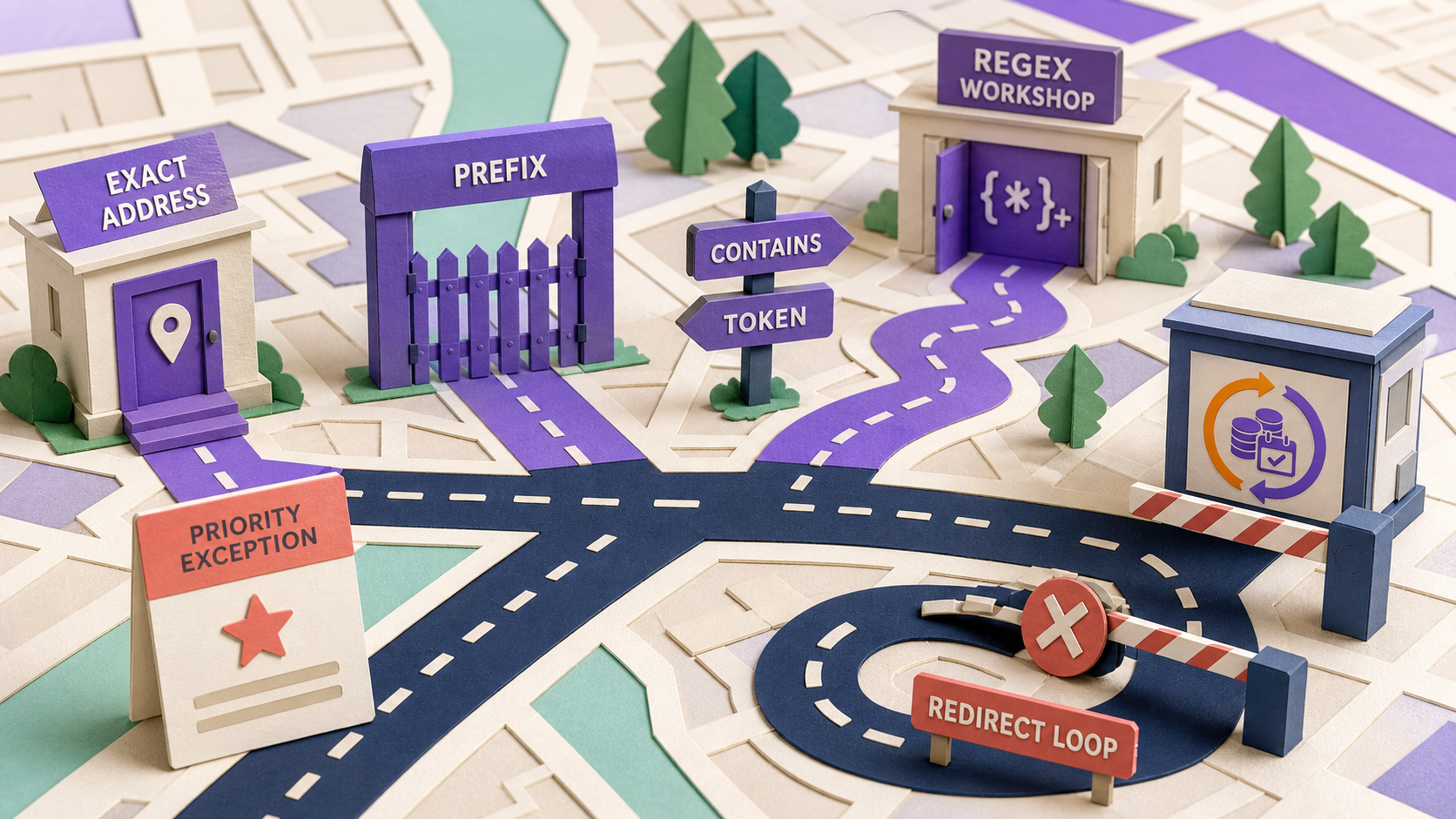
For URL-based content restriction in WordPress, ArraySubs compares the request path—without its query string—using exact, starts-with, contains, or case-insensitive regex matching. Exact, prefix, and contains comparisons are case-sensitive; exclusions are prefix checks; lower priority numbers run first. The first matching, non-excluded URL rule decides access, so broad patterns and overlaps require an explicit test matrix.
The final * displayed with a prefix is not a general wildcard language. It is removed before an ordinary starts-with comparison.
Key takeaways
- ArraySubs 1.8.11 matches the path, not the scheme, host, or query string.
- Exact, prefix, and contains are case-sensitive; current regex matching uses the case-insensitive
imodifier.- Prefix mode supports a trailing-star shorthand, not arbitrary
*or?glob patterns.- Exclusions always use prefix matching, independent of the main rule's mode.
- Lower numbers run first, and the first applicable URL rule allows or denies the request.
When should URL rules be used?
URL rules fit resources whose access boundary follows a stable route rather than a WordPress post type or product record. Examples include:
/academy/and all lesson paths below it;- a custom application route rendered outside a normal post query;
- a legacy premium directory with mixed content types;
- a small set of structured course URLs;
- a public exception inside a protected route tree.
Prefer post-type rules when the boundary is inherently a post, course, product, or taxonomy. Prefer file authorization when the target is a PDF, video, or archive. A URL rule controls a route response; it does not make a public media object private.

What request value does ArraySubs match?
Current UrlRestrictor behavior reads REQUEST_URI, removes the query string, and ensures a leading slash.
Examples:
/academy/lesson-1?utm_source=email  →  /academy/lesson-1
/academy/lesson-1/                  →  /academy/lesson-1/
https://example.com/academy         →  scheme and host are not pattern inputs

The trailing slash remains meaningful. So do path case, percent-encoding, WordPress rewrites, multilingual prefixes, and subdirectory installation paths. Test the normalized path produced by the actual stack rather than assuming a browser address will compare exactly as displayed.
Exact, prefix, contains, and regex semantics
| Mode | Current code behavior | Case | Example match | Important non-match |
|---|---|---|---|---|
| Exact | current path equals pattern | sensitive | /academy = /academy | /academy/, /Academy, /academy/lesson |
| Starts with / prefix | remove final *, then check position zero | sensitive | /academy* matches /academy/lesson | /Academy/lesson |
| Contains | path includes the stored text | sensitive | members matches /pro/members/library | Members |
| Regex | PHP PCRE wrapped with ~...~i | insensitive | `^/academy/(lesson | course)-[0-9]+/?$` |
The best rule uses the least expressive matcher that fully represents the policy.
Exact
Choose exact for one canonical route. Be deliberate about the slash:
/academy
does not equal:
/academy/
If both are publicly reachable before canonical redirect, test both.
Prefix (starts with)
Choose prefix for a route family. In current ArraySubs behavior, /academy* becomes the prefix /academy and matches both /academy and /academy/lesson-1.
It also matches /academyplus. Prefix comparison is not segment-aware. A safer design may use:
- exact
/academyfor the base; - prefix
/academy/for descendants.
Contains
Contains can cover stable tokens in several unrelated-looking paths, but it can overmatch. The string member may appear in /membership, /remembered-items, and /team/member-directory. Inventory real URLs before choosing it.
Regex
Regex is appropriate when a bounded structured set cannot be represented by exact or prefix:
^/academy/(lesson|course)-[0-9]+/?$
Anchor the beginning and end when the policy describes the whole path. Avoid nested ambiguous repetition such as (a+)+. OWASP documents how certain expressions can cause excessive backtracking and regular-expression denial of service (OWASP ReDoS). PHP documents the relevant PCRE syntax, preg_match() behavior, and i modifier.
Current UI/backend inspection did not reveal a dedicated invalid-regex validator or timeout. Test patterns in staging and prefer simpler modes.
Why the trailing star is not a general wildcard
In prefix mode, a final star is syntactic sugar:
/academy* → prefix /academy
A middle star is not a flexible segment match:
/academy/*/video
is not interpreted as “any segment” by the prefix matcher. Do not copy generic wildcard examples from another product. Use a reviewed regex only when the route set truly requires one.
How exclusions and priority decide access
Enabled URL rules are sorted by ascending numeric priority. For each rule:
- Match the main pattern against the normalized path.
- If any exclusion prefix matches, skip this rule.
- Evaluate the rule's schedule and membership conditions.
- If eligible, allow and stop.
- If ineligible, apply the denied action and stop.
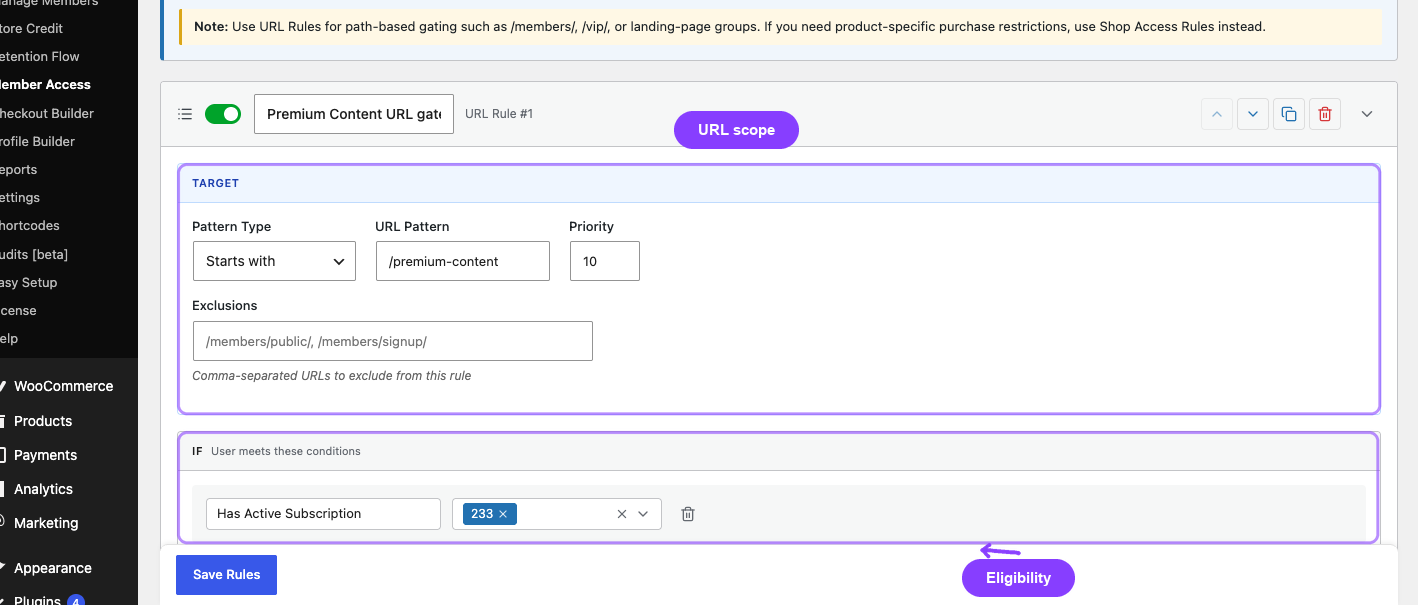
A broad priority-5 rule can shadow a specific priority-20 exception. “Higher priority” in ordinary conversation often means a larger number, but here lower numeric priority runs first.

Exclusions are always prefix checks. If /academy/free is excluded, its children are excluded too. Treat exclusions as policy, not merely a debugging patch, and document why each public path must bypass the broad rule.
Worked example: protect an academy with a public preview
Option A uses a specific first rule:
- priority 5: exact
/academy/free-preview, public policy; - priority 10: prefix
/academy/, active Academy subscription, redirect denied users to/pricing; - optional exact
/academyrule if the base route is separate.
Option B uses the public preview as an exclusion from the membership rule. Choose the design that makes operational intent easiest to audit.
| Request | Rule encountered | Expected result |
|---|---|---|
/academy/free-preview | exact exception first | public/allowed |
/academy/lesson-1 | membership prefix | member allowed; denied visitor redirected |
/academy/lesson-1?utm_source=email | same normalized path | same result |
/Academy/lesson-1 | no case-sensitive prefix match | falls through unless another rule covers it |
/academyplus | prefix /academy also matches | overmatch; use segment-aware design |
The table should become a real expected-results sheet with user personas, not remain an article example.
How should a complete URL rule set be reviewed?
Individual rules can look correct while the ordered set is wrong. Export or transcribe every enabled URL rule into one table with its numeric priority, matcher, pattern, exclusions, condition summary, schedule, denied action, destination, and owner. Then sort it exactly as the runtime does.
Review the table in four passes:
- Coverage: every protected route family has a rule, including base paths and expected descendants.
- Overmatch: prefix and contains rules do not capture similarly named public, account, or recovery routes.
- Shadowing: a broad early rule does not decide before a specific later rule can run.
- Escape: login, password reset, pricing, checkout, My Account, Pay Now, support, privacy, and redirect destinations remain reachable.
Add a representative URL for every row and at least one deliberate non-match. For a prefix such as /academy/, test /academy, /academy/lesson, /academyplus, localized variants, and the destination used when access fails. For regex, keep the reviewed expression and adversarial test path in the same record.
Treat the table as release evidence. A rule edit is incomplete until the ordered set and expected-results sheet are both updated.
What happens when the site's URL structure changes?
A permalink, language, reverse-proxy, subdirectory, or application-route migration can silently move requests outside the stored policy. Plan access-rule migration alongside redirects and canonical changes.
Before the route change:
- inventory old protected paths, public exceptions, and redirect destinations;
- define the new normalized path for every representative request;
- create tests for old URL, redirect hop, final URL, query-string variants, and both user states;
- decide whether the old route remains protected before redirecting;
- confirm that the redirect destination is not caught by the same denied rule.
During rollout, keep old and new rules only when their ordering cannot create an unintended allow or redirect loop. Test direct requests that bypass a navigation link. After search, email, bookmarks, and application clients have moved, retire the old rule deliberately rather than leaving overlapping patterns indefinitely.
If a route carries a private resource, a redirect is not the authorization boundary. The final controller, file endpoint, or application still needs its own current access check.
Keep a temporary request log or test report during the migration so unexpected old-path traffic can be distinguished from authorization defects. Remove sensitive query values, limit retention, and record only what the team needs to prove the normalized path, selected rule, and outcome. The goal is evidence for the cutover, not permanent surveillance of member browsing.
Which denied action should a URL rule use?
Current ArraySubs URL rules can:
- redirect to a configured safe local URL with HTTP 302 behavior;
- redirect to WordPress login;
- return HTTP 403;
- replace the page content with a restriction message.
WordPress wp_safe_redirect() validates redirect hosts; it does not prevent a policy loop. Do not protect /premium and redirect denied users to /pricing if /pricing is caught by the same rule.

A global require-login setting may act before a rule's own denied action. URL rules operate on front-end requests, not WordPress admin pages. Verify the complete request path with a logged-out browser.
How URL rules affect SEO
Search engines receive the denied response unless they qualify under a separate legitimate architecture. Decide whether the route should be public, discoverable with a gate, forbidden, redirected, or absent.
- A redirect sends the crawler elsewhere; avoid chains and loops.
- A 403 communicates forbidden access but is not a private-object control.
- A content message can preserve a public shell if the remaining page is useful and honest.
- A protected route should not unintentionally block login, pricing, account recovery, legal pages, or membership checkout.
- Canonical and robots directives must agree with the actual public response.
Google recommends clear, consistent URL structures (Google URL structure guidance). Do not proliferate alternate-case or duplicate-slash routes and expect an access rule to repair canonicalization.
Prelaunch URL-rule QA matrix
Test every relevant combination:
- base path with and without trailing slash;
- uppercase/lowercase variants;
- percent-encoded characters;
- tracking parameters and other query strings;
- child routes and similarly prefixed unrelated routes;
- multilingual and subdirectory prefixes;
- each excluded path and its children;
- broad and specific rules in both priority orders;
- guest, non-member, active/trial, on-hold/cancelled, and administrator;
- 302 destination, login return, 403 status/body, and content-message output;
- pricing, login, checkout, account recovery, and legal-route escape paths;
- guest/member cache behavior after login, logout, and status change;
- invalid regex and an intentionally long adversarial path in staging.
For combined conditions inside a rule, use the combined-conditions recipe and AND/OR Membership Access Rules. For setup-specific path examples, follow the URL-prefix lockdown recipe.
Debugging an unexpected match
Record these values in order:
- exact request URI and normalized path;
- case and trailing slash;
- permalink, language, proxy, and subdirectory rewrites;
- enabled rules sorted by numeric priority;
- first rule whose main pattern matches;
- every exclusion prefix and whether it matches;
- schedule result;
- condition result for the actual user;
- denied action and destination;
- cache status and response headers.
Do not begin by editing the regex. Most surprises come from normalization, prefix overmatch, an earlier broad rule, or the tested account's actual entitlement.
Final recommendation
Use exact for one path, prefix for a clear route tree, contains only after an overmatch inventory, and anchored regex as the last resort. Write expected outcomes first, put specific exceptions ahead of broad rules or encode exclusions, and test escape routes plus every membership state. Route controls are powerful when their semantics are documented precisely.
After validation, review ArraySubs Pro pricing and the member-experience feature set.
Frequently asked questions
Do ArraySubs URL rules include query parameters?
No. Current code removes the query string and matches the request path.
Is ArraySubs prefix matching case-insensitive?
No. Exact, prefix, and contains comparisons are case-sensitive in the inspected version. Regex is wrapped with the case-insensitive i modifier.
Does * match any characters anywhere in a prefix rule?
No. Only a trailing star is removed as prefix shorthand. It is not a general glob engine.
Which URL rule wins?
Lower numeric priority runs first. The first enabled, matching, non-excluded rule decides access.
Can I use an exclusion with a regex rule?
Yes, but the exclusion itself is still evaluated as a prefix in the current implementation.
Does a URL restriction protect a PDF linked from that route?
No. Protect the file endpoint and underlying object separately.
Author, technical review, and verification environment
Author: Emran, ArrayHash — product and editorial work across WooCommerce membership access and technical SEO.
Technical reviewer: ArraySubs Engineering Team — review scope includes request normalization, matcher behavior, exclusions, priority, redirects, regex risk, and live UI evidence.
Verification environment: Source and read-only live UI review of ArraySubs 1.8.11 on July 16, 2026. No URL rule, user, or content setting was saved or changed.
Disclosure, limitations, and update log
- Commercial disclosure: ArraySubs is an ArrayHash product. Examples are sanitized patterns, not universal production rules.
- Limitations: Web-server rewrites, localization, proxies, caches, WordPress permalinks, and custom routing can alter observed paths. Test the deployed stack.
- July 16, 2026: First publication. Verified normalization, matcher semantics, trailing-star behavior, exclusions, priority, denied actions, regex caveats, and QA matrix.
Continue from strategy to setup
Use a recipe when the model is settled
These articles own the decision and operating model. The ArraySubs feature map and recipes cover the exact product, billing, and customer-workflow configuration.
Written by
Emran // ArrayHash
Research and practical guidance for WooCommerce subscription operators and implementation teams.
Technical review
ArraySubs Engineering Team
Reviewed against current ArraySubs code, product documentation, and the linked primary platform sources.