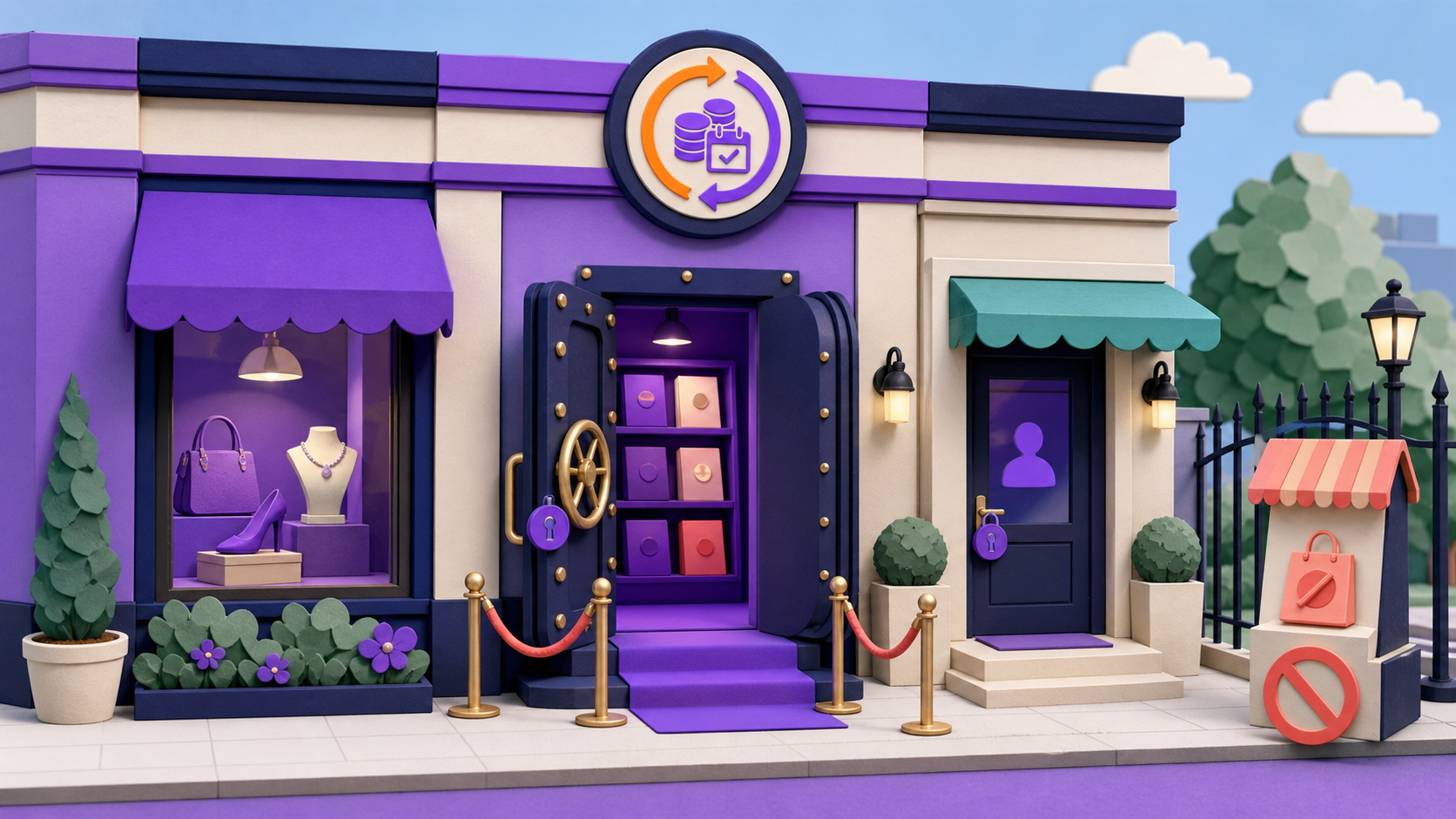
A WooCommerce members-only catalog can hide products completely, keep product pages discoverable while blocking purchase, or redirect unauthorized visitors to login or pricing. The right model depends on whether organic discovery or inventory privacy matters more. ArraySubs enforces current shop rules across product pages, catalog queries, cart validation, checkout, Store API requests, and qualifying member conditions.
Use purchase blocking for a discoverable public catalog and a real 404-style rule for genuinely private inventory. “Members only” is not one checkbox: visibility, price presentation, direct-page access, and purchase permission are separate decisions.
Key takeaways
- Choose separately whether guests can discover, view, see price, and purchase a product.
- Current ArraySubs denied actions are block purchase, 404, redirect to login, and redirect to a selected page.
- A 404 rule hides denied products from common catalog and feed paths; block purchase keeps the public product story visible.
- Enforce authorization at add-to-cart, cart, checkout, REST, and Store API—not only the button.
- Exclude membership signup and renewal products from a store-wide lock.
What does “members-only product” mean?
It can mean at least four different policies:
- The product is publicly discoverable, but only members may purchase.
- Guests can see the catalog, but product details require login.
- Unauthorized visitors are redirected to a membership explanation or pricing page.
- The inventory itself is private and denied products return a genuine 404.

Do not conflate hidden price with hidden product. The current inspected ArraySubs Shop Access actions do not include a separate “hide price only” mode. block_purchase leaves the product page and normal price presentation visible while removing/blocking the purchase path. Member discounts are a separate pricing policy.
Discoverable, private, and login-first catalog models
| Business goal | Discoverability | Recommended control | Public explanation | Main risk |
|---|---|---|---|---|
| Acquire members through search | public | block purchase or redirect to pricing | value, inclusions, requirement, CTA | cart/API bypass |
| Keep wholesale inventory confidential | private | 404 for unauthorized users | separate wholesale landing page | leaked URLs, feeds, sitemap, cache |
| Serve an existing member base | public archive, gated detail | login redirect | why login is required; recovery link | redirect loop and wrong cache |
| Sell a public product with a member benefit | public and purchasable by policy | no access restriction; separate member discount | public price plus honest member benefit | confusing/false price claims |
If every visitor needs to compare products before joining, an entirely private catalog makes acquisition and support harder. If product names, specifications, or availability are confidential, a public block-purchase page discloses too much.
How do current ArraySubs Shop Access rules work?
Current ArraySubs core Shop Access rules can target:
- the entire store;
- selected products;
- selected categories;
- explicit product and category exclusions.
Each rule combines target, conditions, denied action, priority/order, and optional schedule. Rules are processed in configured order; the first enabled rule whose target matches the product decides access. A later permissive rule cannot rescue a product already captured by an earlier restriction.
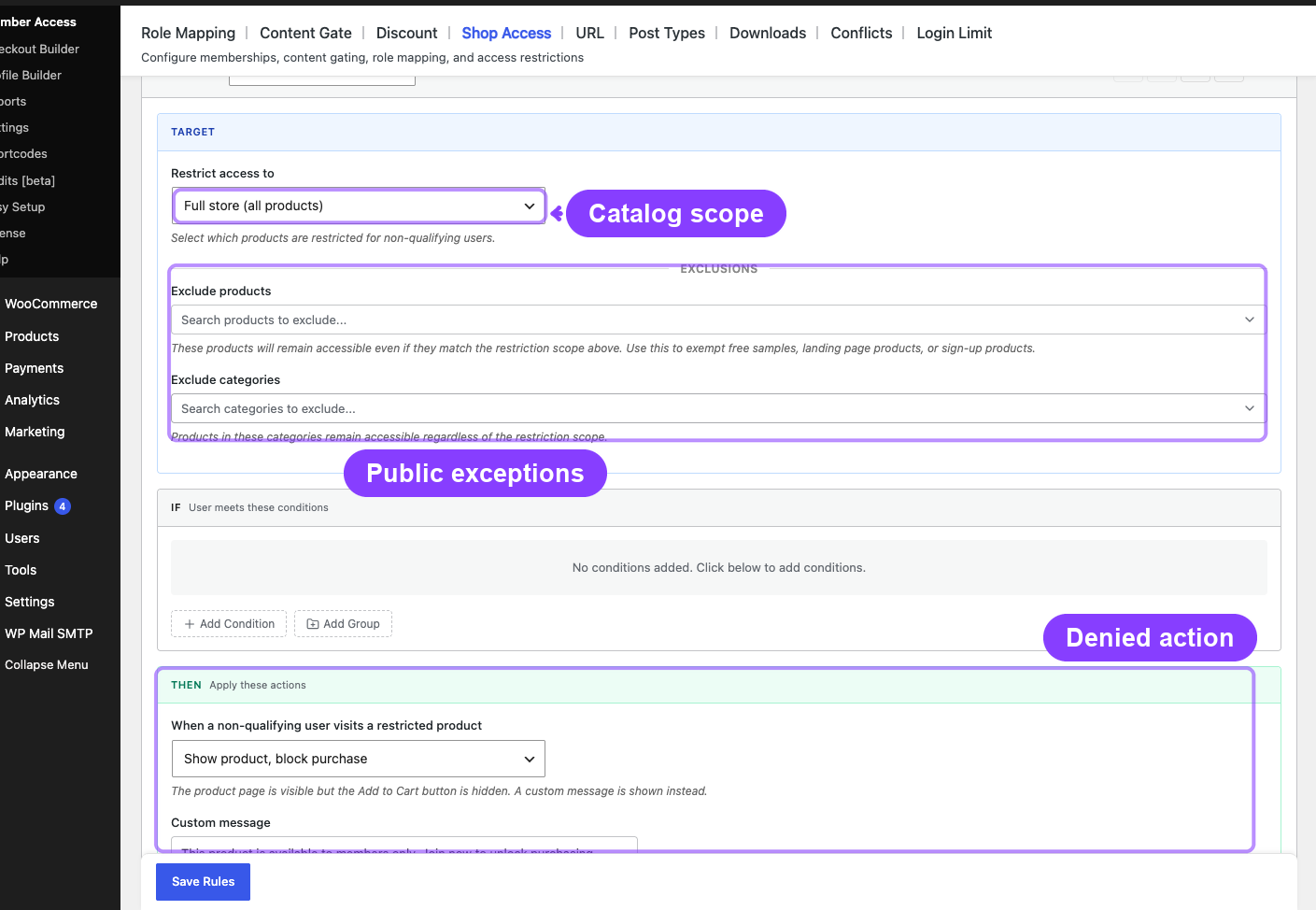
Exclusions are therefore essential when a broad entire-store rule would otherwise capture the membership signup product, a renewal product, public gift cards, or another required recovery route.
What does each denied action do?
| Action | Catalog/search | Direct product URL | Purchase path | Best-fit hypothesis |
|---|---|---|---|---|
| Block purchase | visible | visible with restriction | add-to-cart removed/blocked; cart/checkout validated | public discovery and member conversion |
| Return 404 | removed from protected queries/widgets | real 404 | blocked | genuinely private catalog |
| Redirect to login | visible in archives | redirect | blocked/validated | existing membership base |
| Redirect to page | visible in archives | local destination | blocked/validated | pricing or membership explanation |

A 404 can be correct for confidential inventory, but it removes the product as an acquisition asset. A redirect can be helpful but must preserve a safe return path and avoid loops. A purchase block needs copy that explains the qualifying membership and next action.
How does ArraySubs protect WooCommerce purchase routes?
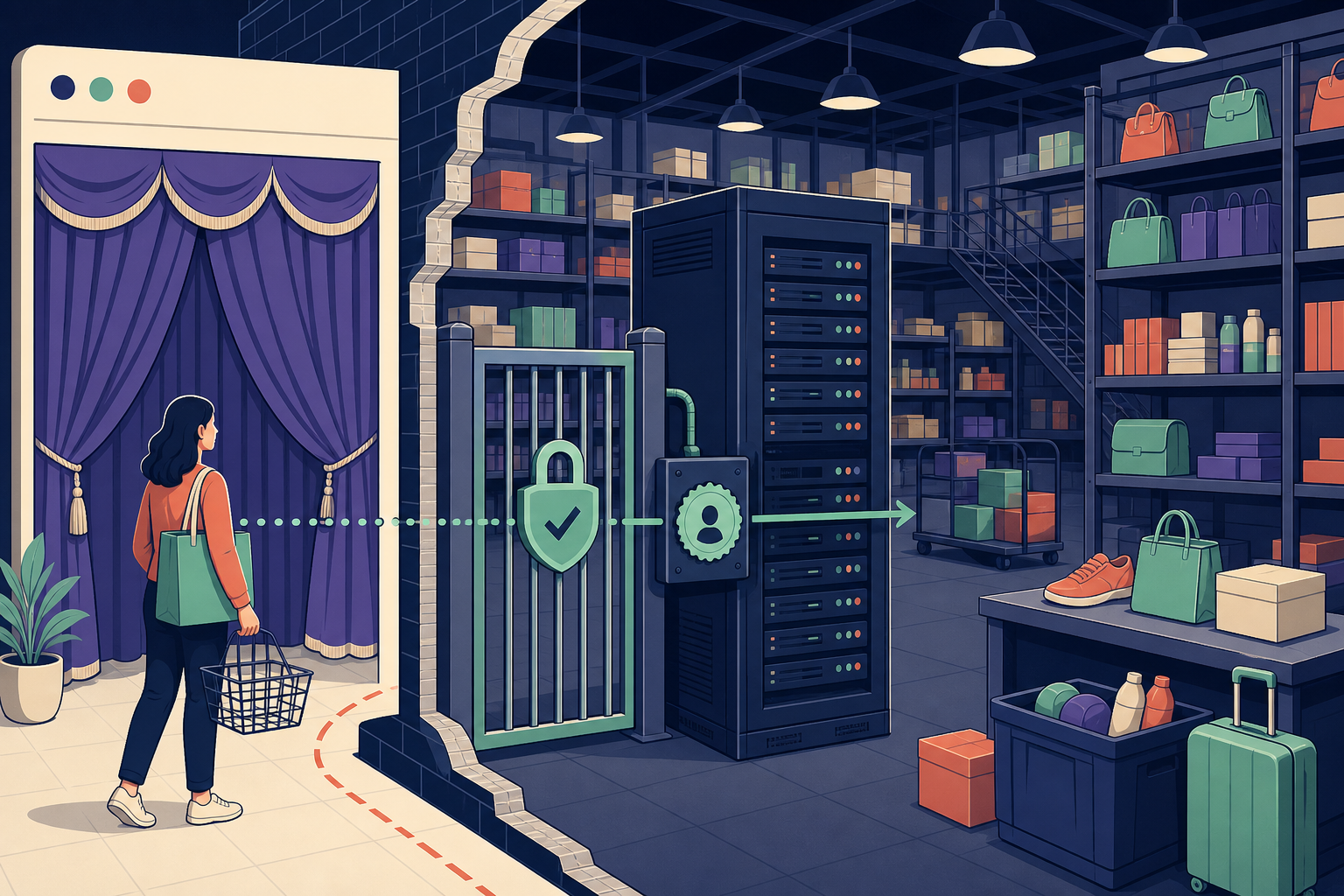
A secure product restriction must run on every relevant request. OWASP recommends server-side authorization on every request and a deny-by-default approach (OWASP Authorization Cheat Sheet).
Current ArraySubs implementation covers more than the button:
- filters product loops and queried collections for 404 rules;
- removes denied products from related products, upsells, cross-sells, widgets, and common core/Yoast/Rank Math sitemap queries;
- intercepts direct product requests for 404/redirect behavior;
- validates classic add-to-cart, cart, and checkout;
- filters standard product REST output;
- validates WooCommerce Store API cart additions;
- denies direct Store API product requests for stronger 404/redirect actions.
Administrators and shop managers bypass current restrictions for management. Never use an administrator session as proof that a member or guest path works.
How should price and member discounts fit the catalog policy?
Product visibility, price visibility, purchase authorization, and discount eligibility are four separate decisions. A public product with a members-only purchase rule can still show its ordinary price. A member discount can change the payable amount without making the product private. Do not describe “member pricing” when the implemented rule only blocks nonmember checkout.
Write the intended states before configuration:
| Visitor | Product visible? | Price shown? | Purchase allowed? | Discount applied? |
|---|---|---|---|---|
| Guest | policy decision | policy decision | normally no for member-only purchase | no |
| Logged-in nonmember | policy decision | policy decision | no | no |
| Qualifying member | yes unless intentionally private | accurate member/public presentation | yes | only when a separate discount rule qualifies |
| On-hold or expired member | lifecycle decision | avoid implying current eligibility | recovery or denial policy | according to documented status rule |
Test price fragments, product schema, cart totals, coupons, taxes, renewal/recovery products, and cached product pages. If individualized wholesale pricing, organization contracts, or quote approval determines the amount, a dedicated B2B pricing system may need to own that decision.
What happens if access changes after add-to-cart?
Authorization is not finished when a product enters the cart. A member can add an item, open another tab, then lose eligibility through cancellation, expiration, a plan switch, or an administrator correction. The store must revalidate at cart and checkout rather than trusting the earlier button click.
Define the customer experience for that transition: remove the item with a specific explanation, retain it but block checkout, or route the customer to payment recovery when the membership is recoverable. Then test restored carts, checkout links, Store API sessions, and mobile handoff. The message should identify the membership problem without exposing sensitive account detail or discarding unrelated public items unnecessarily.
Which membership conditions can be used?
The current inspected builder can evaluate:
- lifetime spend;
- purchased product or variation;
- purchase from a category/tag/taxonomy;
- active/trial subscription, optionally for selected products;
- active/trial subscription variation;
- WordPress role;
- ArraySubs Pro Feature Manager values when enabled.
Use the condition closest to the business promise. If “Wholesale Gold” is a subscription product, evaluate that product/variation or an explicit entitlement. A generic customer role may include users who no longer satisfy the current commercial policy.
Pattern 1: public product page, members-only purchase
This pattern lets guests discover complete product information and understand the membership value while server-side rules block purchase.
The public page should explain:
- what the product is and who it is for;
- that purchase requires a specific membership;
- whether price is public and whether a member discount applies;
- how to log in if already eligible;
- how to join or compare plans;
- how an on-hold member can recover payment.
Test direct add-to-cart URLs, AJAX, Store API, cart restoration, and checkout. Removing one HTML button is not sufficient.
Pattern 2: private catalog with real 404 responses
Use when inventory confidentiality matters more than organic product discovery: private wholesale assortments, negotiated partner products, internal procurement, or invitation-only drops.
Create a separate public landing page that explains how eligible organizations apply without exposing protected inventory. Verify shop/category/search queries, direct product URLs, widgets, related items, sitemaps, REST/Store API, cache, and product feeds used by the actual store.
No product plugin can promise perfect secrecy if another feed, integration, cache, or export exposes the data. Audit every downstream system.
Pattern 3: login or pricing redirect
Login redirect fits an audience that is already expected to have access. Preserve the requested URL so successful authentication returns the member to the product. Include password reset and account recovery.
Pricing/page redirect fits discovery traffic, but the destination should explain the exact product benefit and qualifying plan. Avoid chains such as product → pricing → login → product → pricing. Test guest, non-member, active member, on-hold, and expired states.
Why must signup products be excluded?
A store-wide membership condition can create a circular lock:
visitor needs membership to buy any product
→ membership product is inside “any product”
→ visitor cannot buy membership

Exclude signup, renewal, reactivation, public gift, and any required recovery product. Also keep My Account, login, password reset, checkout, gateway return/webhook, privacy, and support paths reachable.
What are the SEO implications?
A discoverable catalog can contribute useful product pages, internal links, and membership explanation. A private catalog intentionally removes those assets for unauthorized crawlers/users. Neither approach guarantees rankings.
If public and member versions use different URLs, apply canonical/index controls only after deciding which page represents the content. Google documents canonical URL selection and robots meta directives (Google canonical URLs, Google robots meta). Do not add alternate canonicals by habit.
For a private catalog, focus public acquisition on the membership/wholesale landing pages, use cases, application process, and safe product-category descriptions.
Catalog authorization QA checklist
- Guest shop archive matches the selected policy.
- Direct product URL returns the expected message, redirect, or status.
- Query-string and AJAX add-to-cart are denied.
- Store API cart additions are denied for unauthorized users.
- A product added while allowed cannot survive cart/checkout after access is lost.
- Category, search, widgets, related, upsell, and cross-sell results match policy.
- Core, Yoast, Rank Math, and actual third-party feed behavior is tested.
- Signup, renewal, and recovery products remain purchasable.
- Guest, non-member, active/trial, on-hold/lapsed, and administrator are separate tests.
- Guest-warmed and member-warmed cache responses are tested both ways.
- Product/condition changes have an owner and rollback.
- Customer-facing messages match actual plan and recovery routes.
For general rule governance, read WooCommerce Content Restriction Strategy. Use the closest existing shop-access recipe after confirming its route rather than copying undocumented steps.
When is ArraySubs Shop Access not sufficient?
Use an additional B2B, catalog, identity, or authorization system when pricing is individually negotiated, organization seats and approvals are authoritative, products live outside WooCommerce, downstream ERP/feeds expose confidential data, or specialized compliance requires a separate identity and audit system.
ArraySubs protects the WordPress/WooCommerce surfaces it integrates with. It is not DRM, a guarantee against an authorized member sharing information, or a replacement for auditing third-party exports and caches.
Final recommendation
Choose the catalog model from the business goal: public product pages plus server-side purchase blocking for discovery, real 404 behavior for confidential inventory, or login/pricing redirects for known member journeys. Exclude signup and recovery products, enforce every commerce path, and test with real guest and customer sessions.
After the policy and QA matrix pass, review ArraySubs Pro pricing and the broader member experience features.
Frequently asked questions
Can WooCommerce products be visible but purchasable only by members?
Yes. A block-purchase rule can keep the product page visible while denying add-to-cart, cart, and checkout for unauthorized visitors.
Does a 404 rule hide the product price?
It hides the denied product page and removes it from covered catalog/query paths. Price-only hiding is not a separate inspected Shop Access action.
Which rule wins if two shop rules match?
Current ArraySubs processes configured shop rules in order, and the first enabled matching target decides access. Use exclusions and governance rather than relying on a later rescue rule.
Can a direct add-to-cart URL bypass the restriction?
It should not in the current implementation because add-to-cart, cart, checkout, REST, and Store API paths are also validated. Test the deployed WooCommerce version and extensions.
Should a private catalog appear in Google?
Usually no if the inventory itself is confidential. Use separate public landing pages for acquisition and verify sitemap, feed, cache, and integration behavior.
Do administrators see the same restrictions as customers?
No. Administrators and shop managers currently bypass Shop Access rules. Test guest and normal customer sessions.
Author, technical review, and verification environment
Author: Emran, ArrayHash — product and editorial work across WooCommerce membership and catalog authorization.
Technical reviewer: ArraySubs Engineering Team — review scope includes product-query filtering, direct requests, add-to-cart/cart/checkout, REST, Store API, sitemap integration, conditions, and rule order.
Verification environment: Source and live UI review of ArraySubs 1.8.11 and ArraySubs Pro 1.1.2 on July 16, 2026, plus current WooCommerce, Google Search, and OWASP guidance. No live shop rule was saved on the mirror.
Disclosure, limitations, and update log
- Commercial disclosure: ArraySubs is an ArrayHash product. Verified behavior is separated from WooCommerce Memberships comparisons.
- Limitations: Themes, blocks, caches, feeds, marketplaces, search plugins, B2B extensions, and future Store API changes can expose or overblock products. Test the complete stack.
- July 16, 2026: First publication. Verified current denied actions, rule ordering, exclusions, covered commerce paths, manager bypass, live builder UI, and the catalog QA matrix.
Continue from strategy to setup
Use a recipe when the model is settled
These articles own the decision and operating model. The ArraySubs feature map and recipes cover the exact product, billing, and customer-workflow configuration.
Written by
Emran // ArrayHash
Research and practical guidance for WooCommerce subscription operators and implementation teams.
Technical review
ArraySubs Engineering Team
Reviewed against current ArraySubs code, product documentation, and the linked primary platform sources.