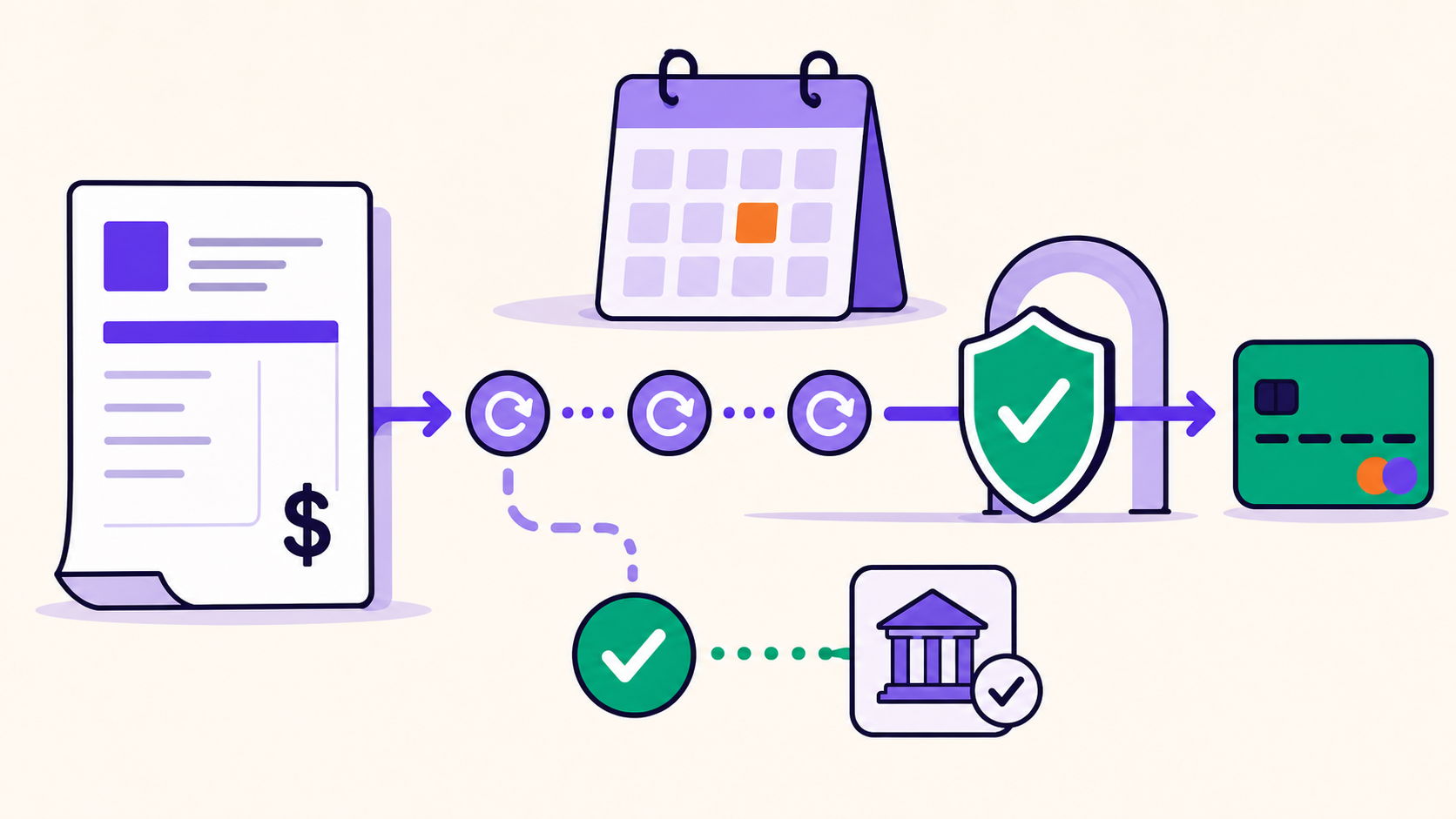
An expired card does not make the subscription itself unusable, but it can make the saved payment token unable to fund the next renewal. Recovery requires a secure gateway-hosted update or reauthorization, a correctly timed retry, and reconciliation of the renewal order, subscription status, access, and next billing date after payment succeeds.
In a WooCommerce and ArraySubs store, “card updated” and “subscription recovered” are separate milestones. A customer can replace a method while the failed renewal order remains unpaid. Operators should detect, notify, update, collect, and then prove that every dependent state agrees.
Key takeaways
- Store gateway tokens and display only safe card descriptors, never full card data or security codes.
- A network account updater is a gateway/network capability; ArraySubs does not operate one.
- Use a gateway-hosted portal or reauthorization flow for sensitive changes.
- Updating a method does not automatically prove an old renewal was paid.
- Recovery ends only after the payment, order, subscription, access, failure state, and next date are reconciled.
What actually expires in a recurring payment setup?
The physical card has an expiration date, but a subscription system usually does not store the complete card. A gateway vault stores the sensitive credential and gives the merchant a payment token—an opaque, gateway-scoped reference. The site may also retain safe descriptors such as brand, last four digits, and expiration month/year for identification.

These objects are related but not interchangeable:
| Object | Where it belongs | What the store may safely use it for | What expiration can mean |
|---|---|---|---|
| Physical card | Customer and issuer | Presenting payment credentials | Printed expiry reached; issuer may replace the card |
| Vaulted credential | Gateway or its processor | Authorized recurring collection | May be refreshed, replaced, revoked, or require action |
| Payment token | Gateway integration | Referencing the vaulted credential | Can stop working even though the local token string remains |
| Safe descriptor | WooCommerce/customer portal | Helping the customer recognize the method | Can become stale until a gateway event updates it |
| Billing agreement or mandate | Gateway/provider | Establishing recurring authorization | May require reauthorization rather than an editable card |
An expiration date is therefore evidence, not a complete diagnosis. Some credentials may be refreshed automatically by a network service. Others need customer action. A failure displayed as expired_card needs a different remedy from a revoked agreement, authentication requirement, or webhook mismatch.
What is a network account updater?
A network account updater is a gateway/network service that may refresh changed card credentials after an issuer replaces or reissues a card. Stripe describes automatic card updates as a network-supported Stripe capability and notes that availability is not guaranteed for every card (Stripe cards overview).
This is not the same as a customer opening an account screen and entering a new method.
network account update
= gateway/network may refresh the vaulted credential
  without a customer form submission

portal update
= customer deliberately supplies or selects a method
  in a trusted hosted flow
ArraySubs can receive supported gateway events that indicate an automatic update and can refresh local safe descriptors or clear recovery state. That does not mean ArraySubs operates its own network updater. This boundary matters for both product claims and troubleshooting.

Can a store warn customers before a card expires?
Sometimes, but support depends on the gateway and the metadata or events it exposes. Do not promise a universal pre-expiry scan.
Current source inspection found that ArraySubs has a card-expiring email action and can react to a supported Stripe expiration event path. No current local scheduler was found that scans every stored expiration across gateways. The inspected PayPal and Paddle integrations do not advertise local card-expiry notice support.
Use this wording in customer operations:
- “We can notify customers when a supported gateway supplies an expiration event.”
- Not: “The store automatically finds every expiring card.”
A useful pre-expiry notice should include the recognizable subscription, safe method descriptor, actual renewal date, trusted destination domain, and one clear action. It should not display or request the full primary account number or CVC.
Pre-expiry decision table
| Evidence before renewal | Recommended action | Avoid |
|---|---|---|
| Gateway sends a reliable expiration event | Send one calm notice with a hosted update link | repeated alarms before the customer can act |
| Safe descriptor shows an approaching date but no verified event | Validate gateway semantics before messaging | assuming the local descriptor is current |
| Network updater confirms a change | Refresh descriptor and confirm future billing setup | charging early merely to “test” the card |
| Gateway does not expose expiry | Rely on the normal renewal and recovery path | claiming universal prevention coverage |
| Agreement requires reauthorization | Explain the new approval step before renewal | presenting it as a simple card edit |
What should happen when a renewal fails because the card expired?
Treat expired-card subscription recovery as five distinct stations.
- Detect: verify the renewal order, gateway, provider response, and safe method descriptor.
- Notify: give the customer an authenticated, recognizable path and an honest deadline.
- Update: let the gateway vault replace the method or request a new authorization.
- Collect: retry the exact unpaid renewal or direct the customer to Pay Now.
- Reconcile: prove the payment and restore all local and remote state.

The recovery branch should follow actual evidence:
| Evidence | Operator action | Customer action | Completion proof |
|---|---|---|---|
| Expiry warning; renewal not due | Send a single trusted portal link | update or reauthorize | new descriptor/event recorded; future renewal remains scheduled |
| Renewal failed as expired card | Keep it inside documented grace; show update and payment routes | replace method, then pay or allow retry | renewal order paid; subscription/access restored |
| Method changed; invoice still unpaid | Keep recovery open and avoid calling it successful | complete payment or authentication | successful charge plus correct local state |
| Provider says paid; local subscription is on hold | pause collection and reconcile logs/webhooks | normally none until diagnosis | one payment, no duplicate, correct status and date |
| PayPal agreement cannot be edited | explain reauthorization accurately | authorize a new agreement/path | new agreement attached and future auto-billing verified |
What payment-update paths does current ArraySubs expose?
Current ArraySubs Pro source allows payment-method coordination for active, trial, and on-hold subscriptions. Pending-cancellation subscriptions are excluded. The customer-facing route depends on the gateway.
| Gateway | Current ArraySubs customer path | Important limitation |
|---|---|---|
| Stripe | Creates a Stripe Billing Portal session | Sensitive input occurs at Stripe, not in an ArraySubs card form |
| Paddle | Uses a Paddle customer-portal path | Paddle controls the payment UI and provider recovery |
| PayPal | Returns a reauthorization result | Current code does not promise the same seamless card-edit flow |
Stripe documents a hosted customer portal that can let customers update payment methods (Stripe customer portal). Paddle similarly documents provider-hosted payment-detail updates and recovery behavior (Paddle update payment details, Paddle payment recovery). PayPal subscription failures can create an outstanding balance and follow provider-owned retry/suspension rules (PayPal payment failure retry).
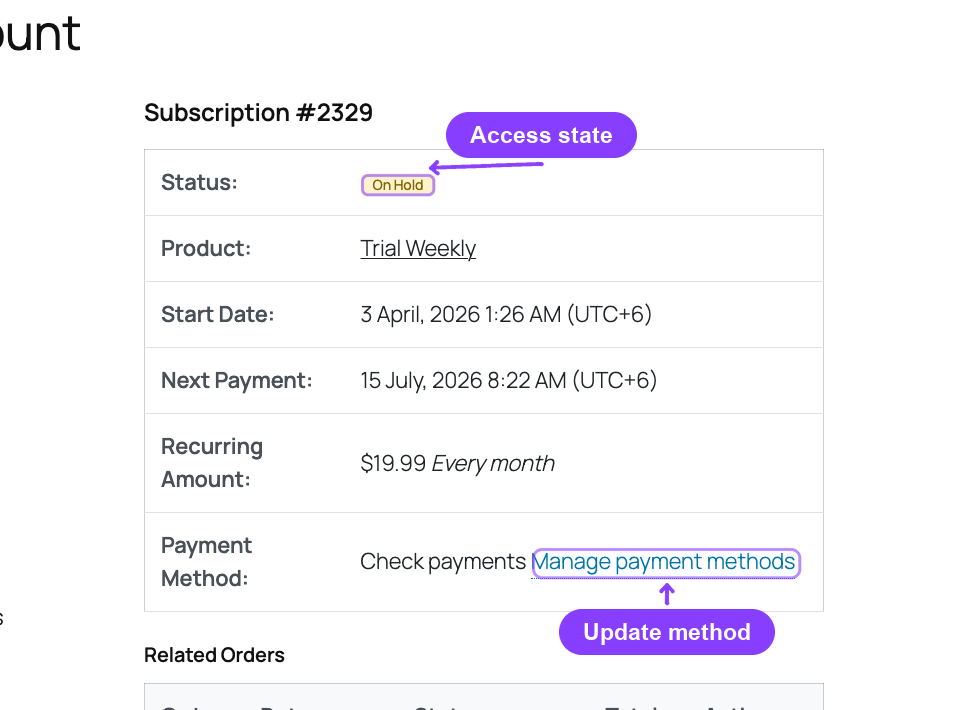
The portal may show brand, last four digits, expiry, and an Expired badge when those descriptors exist. Those values help customers identify a method; they are not evidence that WordPress stores the full card.
Does updating the card automatically pay the failed renewal?
No. WooCommerce documentation notes that payment-method changes depend on gateway capabilities, and changing a subscription method does not automatically settle every historical failed order (WooCommerce subscriber payment methods).
The correct mental model is:
usable new payment method
≠ paid failed renewal

paid remote transaction
≠ reconciled local subscription
After an update, one of three things must happen:
- a local automatic retry collects the eligible renewal;
- the provider's remote recovery process collects it;
- the customer pays the exact pending renewal through a secure route.
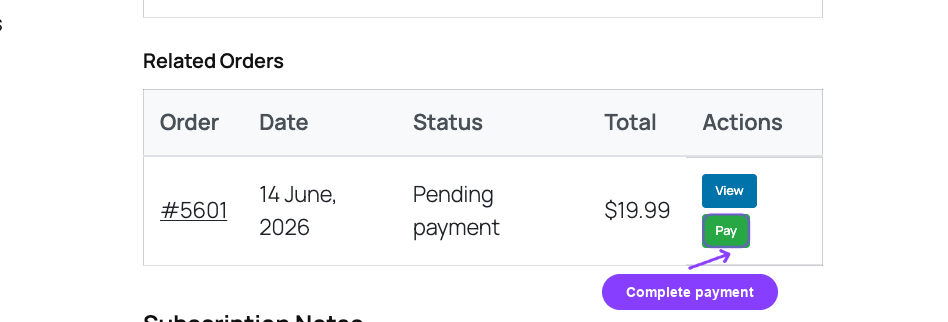
Before an administrator starts a manual collection, check whether the gateway already succeeded and the webhook or local action failed. A second charge is not a recovery.
How should access behave while the customer updates a card?
Use the documented subscription grace-period policy rather than inventing a special access rule for every decline. The customer should retain a secure login and recovery route throughout every eligible phase, even if paid content, features, downloads, shipments, or booked work are reduced.
For a digital membership, preserving account identity and data while restricting premium actions may be appropriate. For physical goods, shipment release should wait for verified payment. For scheduled services, the booking or staffing cutoff may precede the payment deadline.
The failure reason should affect the required action, not create a secret policy. An expired card needs method replacement. Authentication-required needs a hosted authentication step. A provider-owned PayPal or Paddle recovery needs local/remote alignment.
Worked example: card expires before the next renewal
Consider a fictional monthly subscriber whose card expires July 31 and whose next renewal is August 3.
July 20  supported gateway emits an expiry event
July 20  store sends one portal-update notice
July 22  customer replaces the method
July 22  safe descriptor/webhook is updated
August 3 normal renewal runs against the eligible method
The July 22 update does not justify charging early. It proves only that a new credential appears ready for future use.
If the customer does not update and the August 3 renewal fails:
August 3  record the expired-card evidence and unpaid renewal
August 3  send update + payment instructions
grace     preserve the documented recovery route and access policy
payment   collect the exact renewal through the owning gateway
success   reconcile order, subscription, access, retry state, and next date
The meaningful operational timestamps are “method updated” and “renewal paid.” Measure both.
What security rules apply to expired-card support?
Use HTTPS and gateway-hosted payment forms. The PCI Security Standards Council states that sensitive authentication data such as card verification codes cannot be stored after authorization, even if encrypted (PCI SSC FAQ 1533).
Support agents should never ask a customer to send:
- a full card number;
- CVC/CVV/CID;
- raw gateway tokens or authorization payloads;
- screenshots containing unredacted payment IDs, addresses, or secrets.
Safe troubleshooting normally uses subscription and order IDs, gateway name, safe descriptor, provider error category, timestamps, webhook/action status, and the result of a hosted update or payment session.
Expired-card recovery checklist for operators
- Confirm the subscription and exact unpaid renewal order.
- Identify the actual gateway and who owns collection.
- Verify the provider reason instead of relying only on an
Expiredbadge. - Confirm whether method update is supported for the current subscription state.
- Send only an authenticated HTTPS update or reauthorization path.
- State the real next attempt, access deadline, and fulfillment effect.
- Never accept card or CVC data in support channels.
- After update, verify whether the invoice is still unpaid.
- Before retry, check for a successful remote payment or missed webhook.
- Verify order status, transaction reference, subscription status, access, roles, and next date.
- Clear obsolete failure/retry state and stop failure messages.
- Confirm future automatic billing uses the new credential or agreement.
WooCommerce recommends distinguishing token, gateway, webhook, scheduled-action, order, and status failures when reconstructing subscription problems (WooCommerce troubleshooting framework). Preserve that evidence before manually changing status.
When is ArraySubs not the right recovery owner?
ArraySubs is useful when WooCommerce owns local renewal orders and operators want one lifecycle for grace, status, access, portal actions, notes, and supported local collection. It is not the network account updater, and it should not start a competing charge loop when PayPal, Paddle, Stripe Billing, or another external system owns the obligation.
It is also not a substitute for gateway configuration, signed webhooks, reliable Action Scheduler execution, customer identity controls, or qualified PCI/security review. If a provider cannot expose an editable method, a new authorization may be the only honest path.
For timing and messages, choose a documented lenient dunning recipe or strict dunning recipe, then adapt the failed-payment email sequence to the actual gateway action.
Final recommendation
Treat card expiration as a credential lifecycle problem. Detect only what the gateway can prove, send customers into a trusted hosted flow, keep method update separate from collection, and call the subscription recovered only after the paid renewal, subscription status, access, failure state, and next billing schedule agree.
After the recovery flow is documented and tested, review ArraySubs Pro pricing or explore subscription operations.
Frequently asked questions
Does ArraySubs automatically update expired cards?
No. A payment gateway/network may automatically refresh a credential. ArraySubs can react to supported update events and refresh local safe metadata, but it does not operate a network account updater.
Can a customer update a payment method while the subscription is on hold?
Current ArraySubs Pro source supports the coordination path for active, trial, and on-hold subscriptions. The actual hosted update experience depends on the gateway.
Will a new card automatically pay the failed WooCommerce renewal order?
Not necessarily. The method can be ready while the old order remains unpaid. The order still needs a successful retry, provider recovery, or customer payment, followed by reconciliation.
Should a store retry an expired card before it is updated?
Blind retries usually do not solve an expired credential. Follow provider evidence, ask for a secure replacement or reauthorization, and retry only when the payment context is eligible.
Can PayPal use the same update flow as Stripe?
Do not assume so. Current ArraySubs source opens a Stripe-hosted portal for Stripe but reports that PayPal may require reauthorization rather than the same seamless edit path.
What proves that an expired-card subscription is recovered?
A verified successful payment on the exact renewal plus a paid order, intended subscription status, restored access, cleared obsolete failure state, correct next renewal, and future billing agreement using the eligible method.
Author, technical review, and verification environment
Author: Emran, ArrayHash — product and editorial work across WooCommerce subscription operations.
Technical reviewer: ArraySubs Engineering Team — review scope includes payment-method coordination, gateway portal paths, safe descriptors, Stripe events, renewal collection, and lifecycle reconciliation.
Verification environment: Source and UI review of ArraySubs 1.8.11 and ArraySubs Pro 1.1.2 on July 16, 2026, plus current official WooCommerce, Stripe, PayPal, Paddle, and PCI SSC documentation. No real card was allowed to expire and no live gateway recovery was executed.
Disclosure, limitations, and update log
- Commercial disclosure: ArraySubs is an ArrayHash product. Gateway limitations and product boundaries are stated explicitly.
- Limitations: Gateway events, hosted portals, network-updater availability, agreements, and webhook behavior can change. Verify the deployed gateway versions and sandbox behavior.
- July 16, 2026: First publication. Verified current payment-update state eligibility, Stripe/Paddle hosted paths, PayPal reauthorization caveat, event-driven expiration support, and the absence of a universal local card-expiry scan.
Continue from strategy to setup
Use a recipe when the model is settled
These articles own the decision and operating model. The ArraySubs feature map and recipes cover the exact product, billing, and customer-workflow configuration.
Written by
Emran // ArrayHash
Research and practical guidance for WooCommerce subscription operators and implementation teams.
Technical review
ArraySubs Engineering Team
Reviewed against current ArraySubs code, product documentation, and the linked primary platform sources.